
MACHINE ALL THREADS USING STANDARD TURNING TOOLS.
© 2014-2026 Cato Hagen
MACHINE ALL THREADS USING STANDARD TURNING TOOLS.
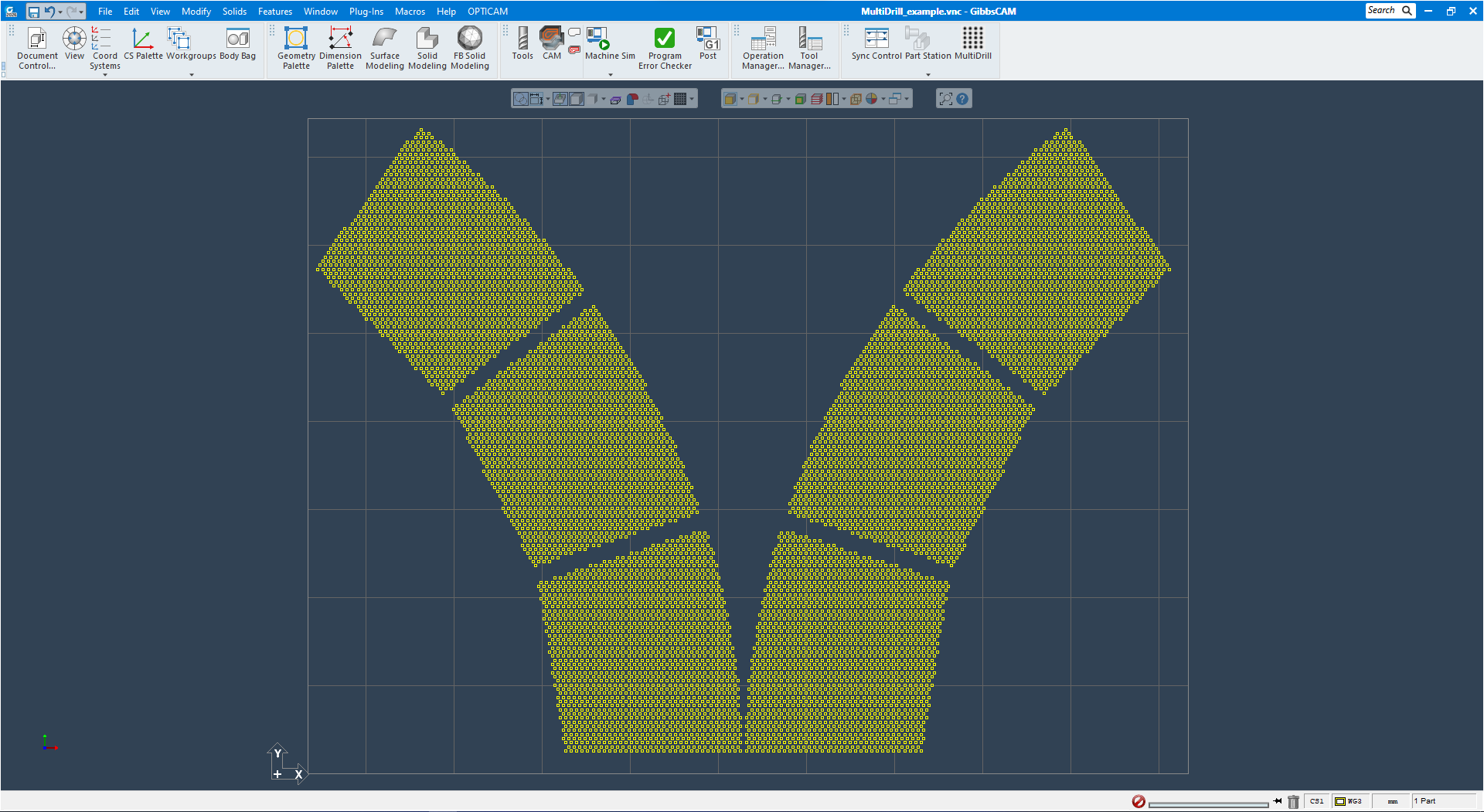
Import geometry for drilling, this can be any gemoetry pattern using circles. Its required that the circles have a fixed distance between centers in X axis and Y axis.
Make sure the hole pattern is aligned correctly with the stock setup for drilling before using MultiDrill.
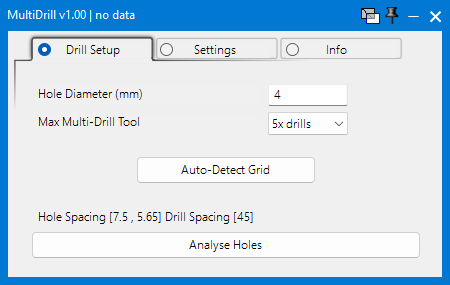
Hole Diameter - Set correct hole size from the pattern, this must match correctly as its used for sorting holes used for calculations.
Max Multi-Drill Tool - Select the max number of multi-drill tools - selecting 5x will organize all holes to be drilled with 5x,4x,3x,2x and 1x drill heads
To change the max number of multi-drill tools to a different number of drills, its required to calculate and generate new workgroups.
Auto-Detect Grid - Click to automatically detect the correct X and Y grid distance and Hole diameter from the pattern in current active workgroup.
Analyze Holes - Click to start analyzing and organizing the hole pattern in the current active workgroup.
This process will analyze and categorize every hole, and organize and create seperated workgroups. This requires alot of calculations and can take upto several minutes depending of amount of holes.
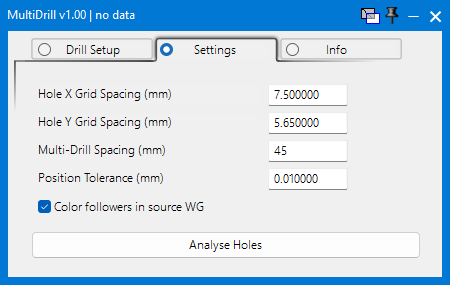
Hole X Grid Spacing - Set the X distance between hole centers. Measure and set this manually or use the Auto-Detect Grid button.
Hole Y Grid Spacing - Set the Y distance between hole centers. Measure and set this manually or use the Auto-Detect Grid button.
Multi-Drill Spacing - Set the distance between every drill on multi-drill tool, this must be an integer multiple of X grid spacing.
Position Tolerance - Set a tolerance allowance for hole detection. Default is 0.01mm
Color Followers in source WG - Apply different colors to all the drill followers for visualization, not required.
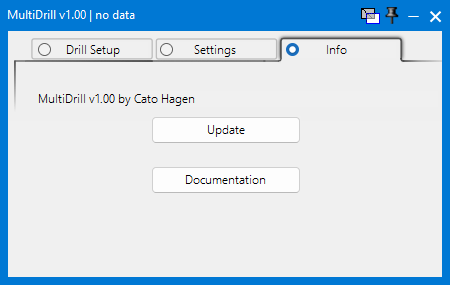
Update - Click this button to check and update MultiDrill plugin, this will connect over the internet and can download new updates to the plugin.
Documentation - Opens default browser and loads this web page
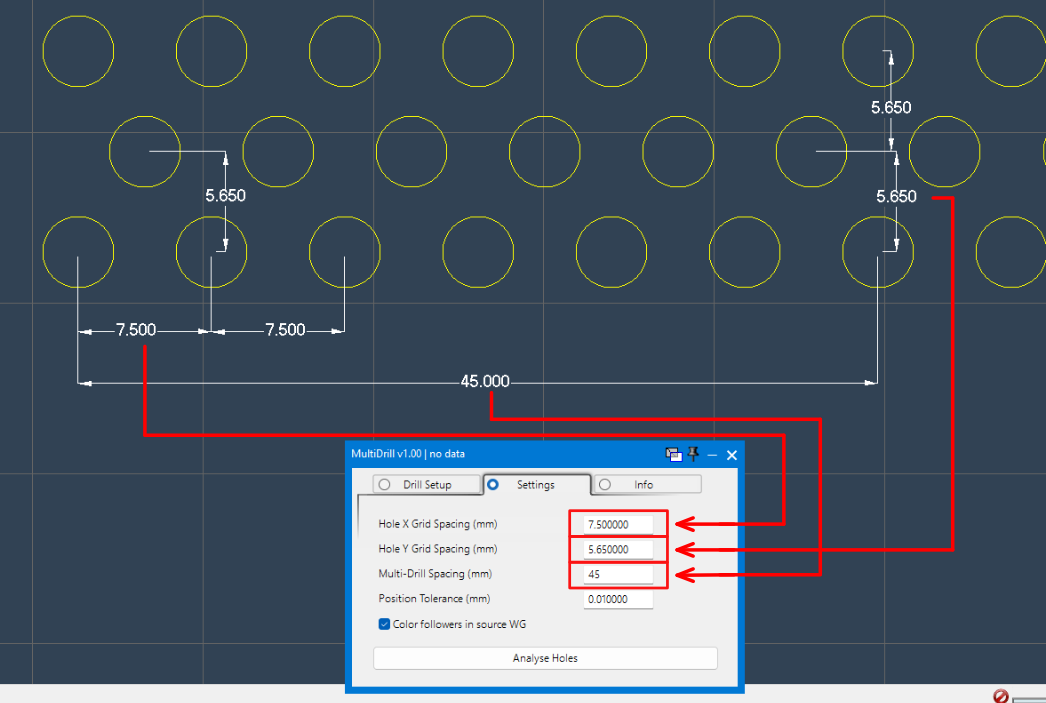
X grid distance between circle centers : 7.5mm
Y grid distance between circle centers : 5.65mm
Multi-Drill Spacing : 45mm [distance between drills]
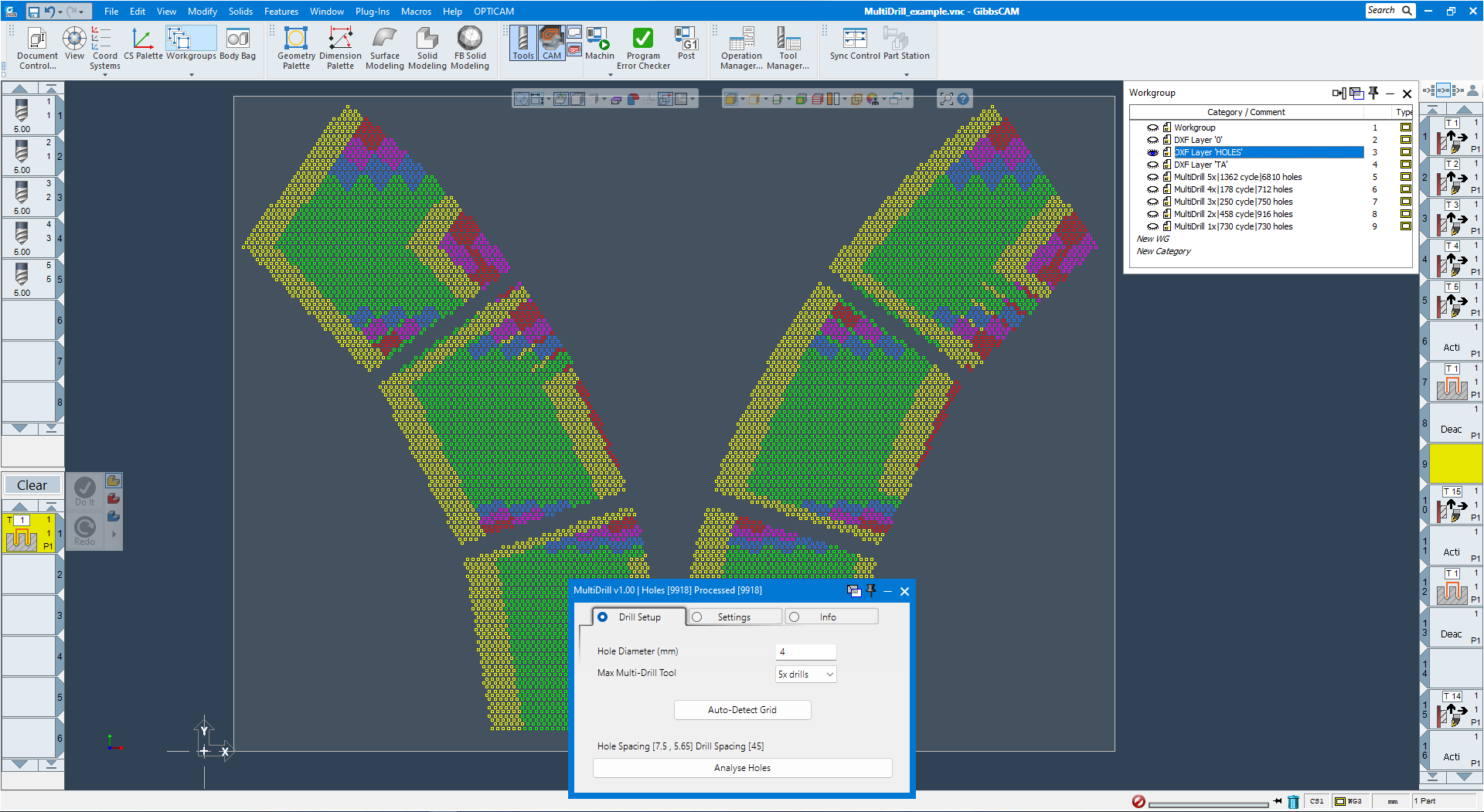
Video showing MultiDrill running the entire process, analyzing and organizing the current hole pattern of 9918 holes into seperate workgroups.
Sorting all for multi-drill head 5x,4x,3x,2x and 1x drill tools - runtime around 1 minute.
Simulation shows the different multi-drill heads going through the drill operations to complete the hole pattern.