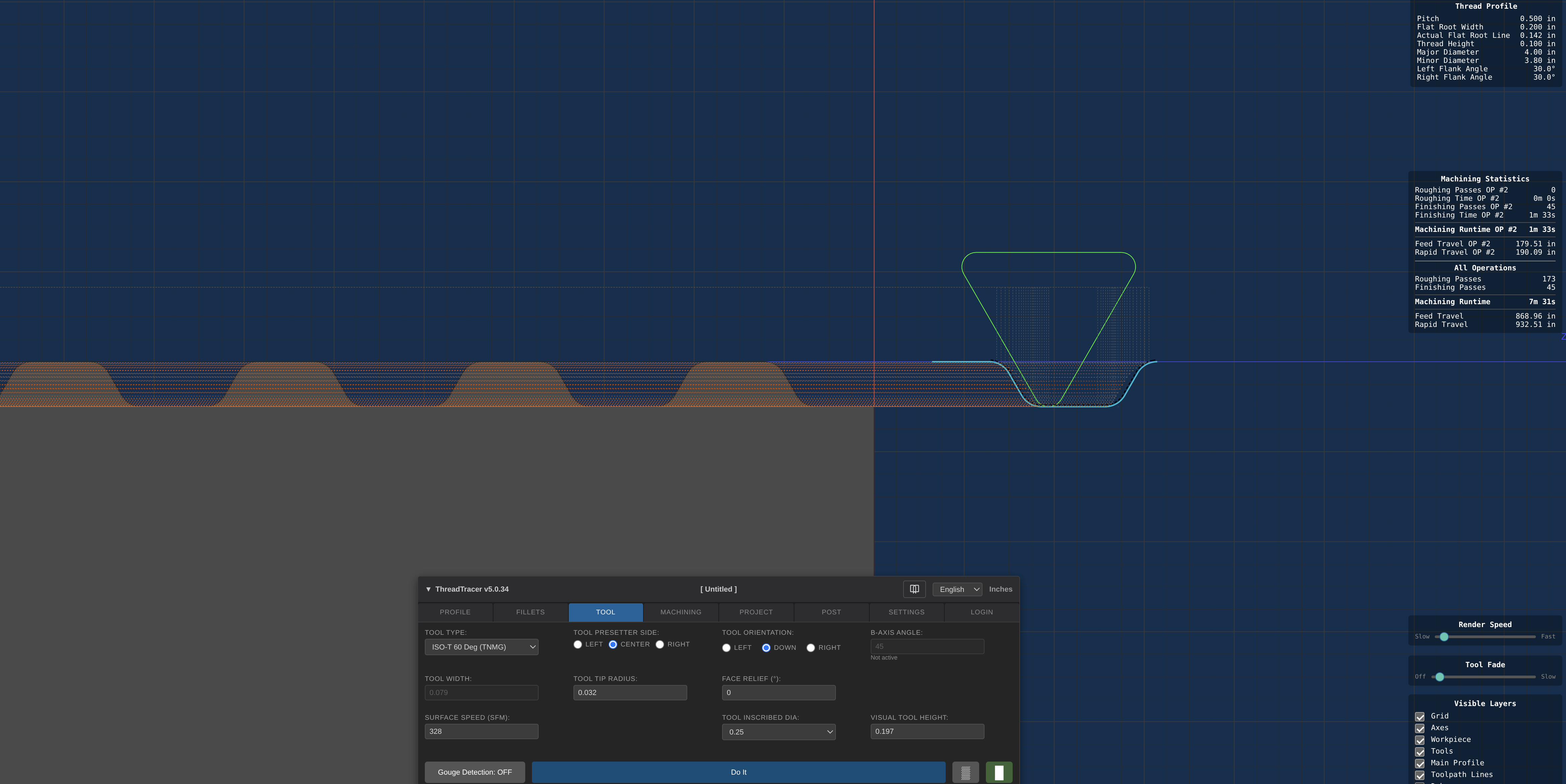
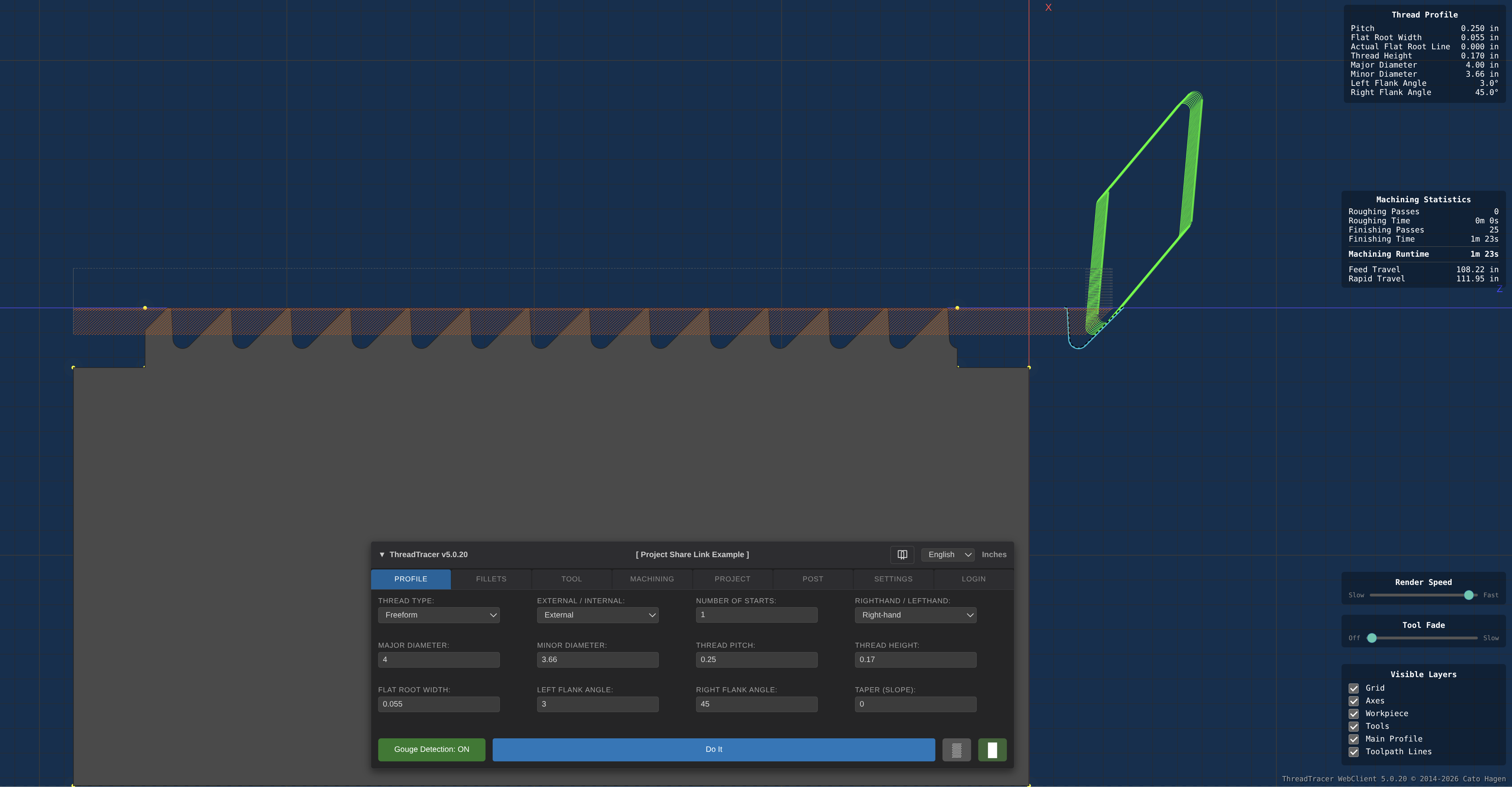
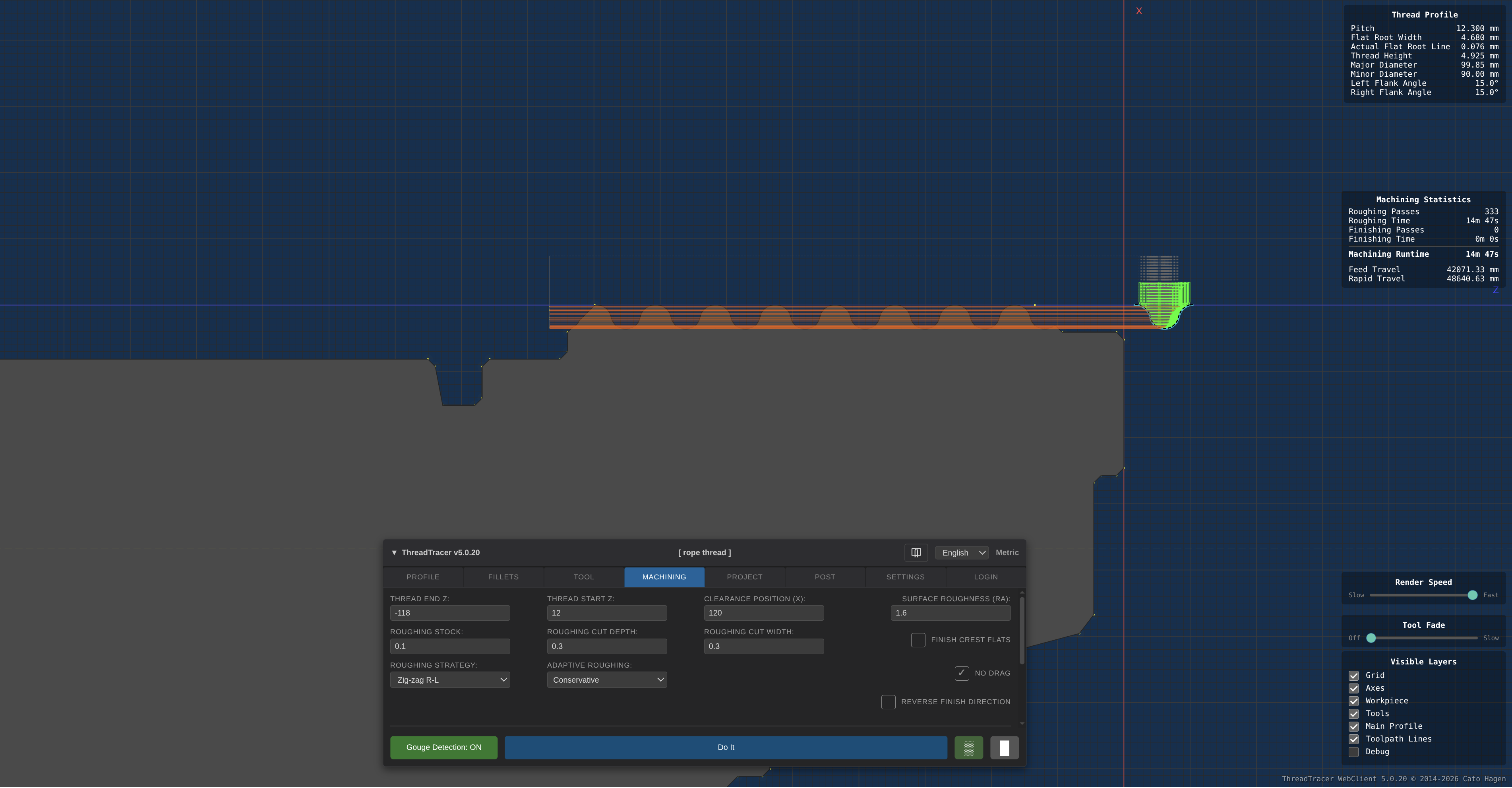
Program and machine any thread using standard turning tools, directly from your web browser!
ThreadTracer WebClient - Browser-based CNC programming of advanced thread setups.
ThreadTracer WebClient enables setup, programming and generating G-code for machining large, complex, or custom thread profiles.
Ideal solution if your shop uses ESPRIT, NX CAM, SolidCAM, MasterCAM or any other CAM system that struggle with difficult or complex thread setups.
Using standard turning inserts for machining thread profiles greatly lowers the risk of chatter, increases surface finish and quality of the thread.
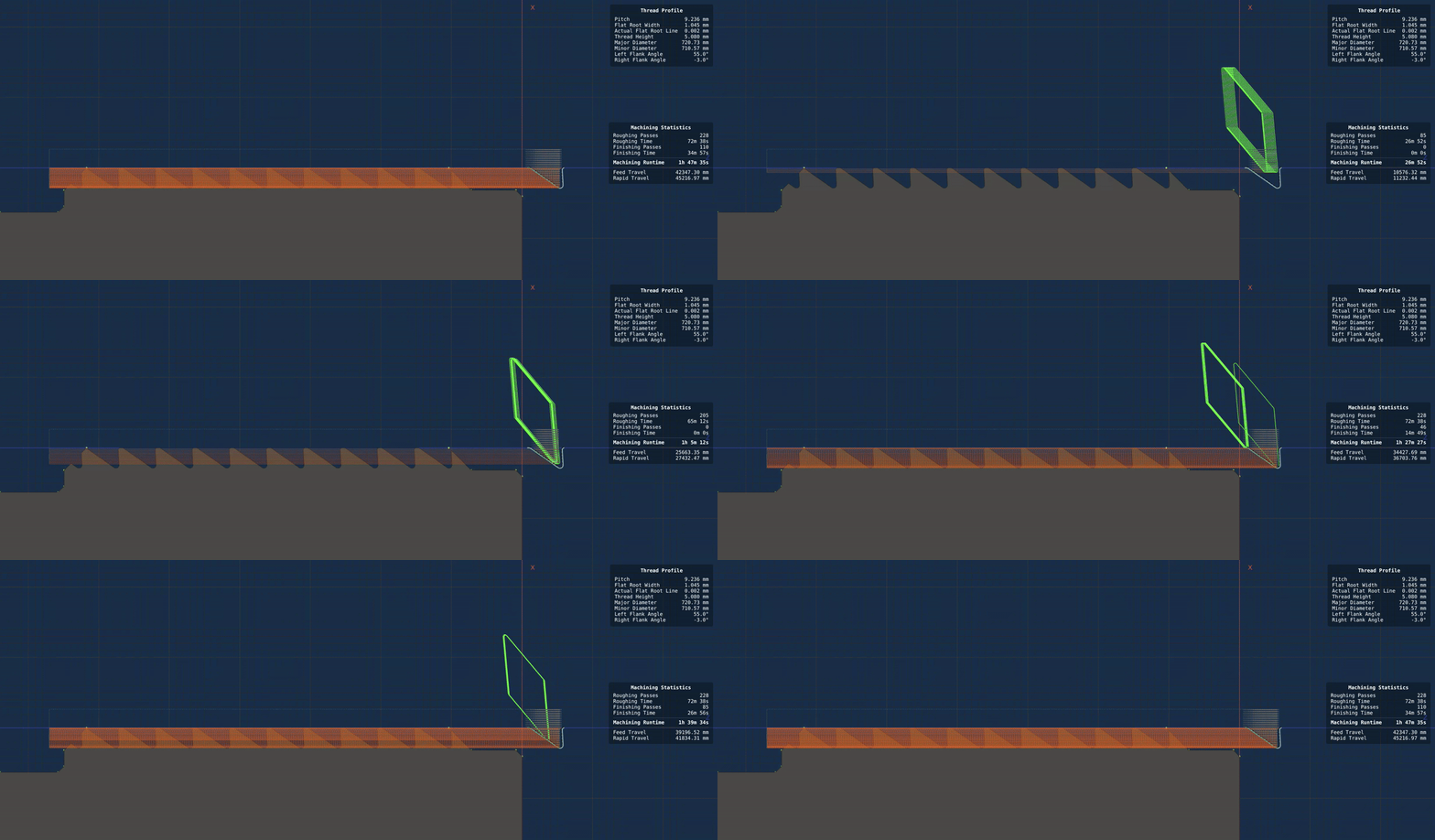
All geometry for tool, thread profile, stock and visual toolpaths is rendered realtime using GPU-accelerated vector graphics.
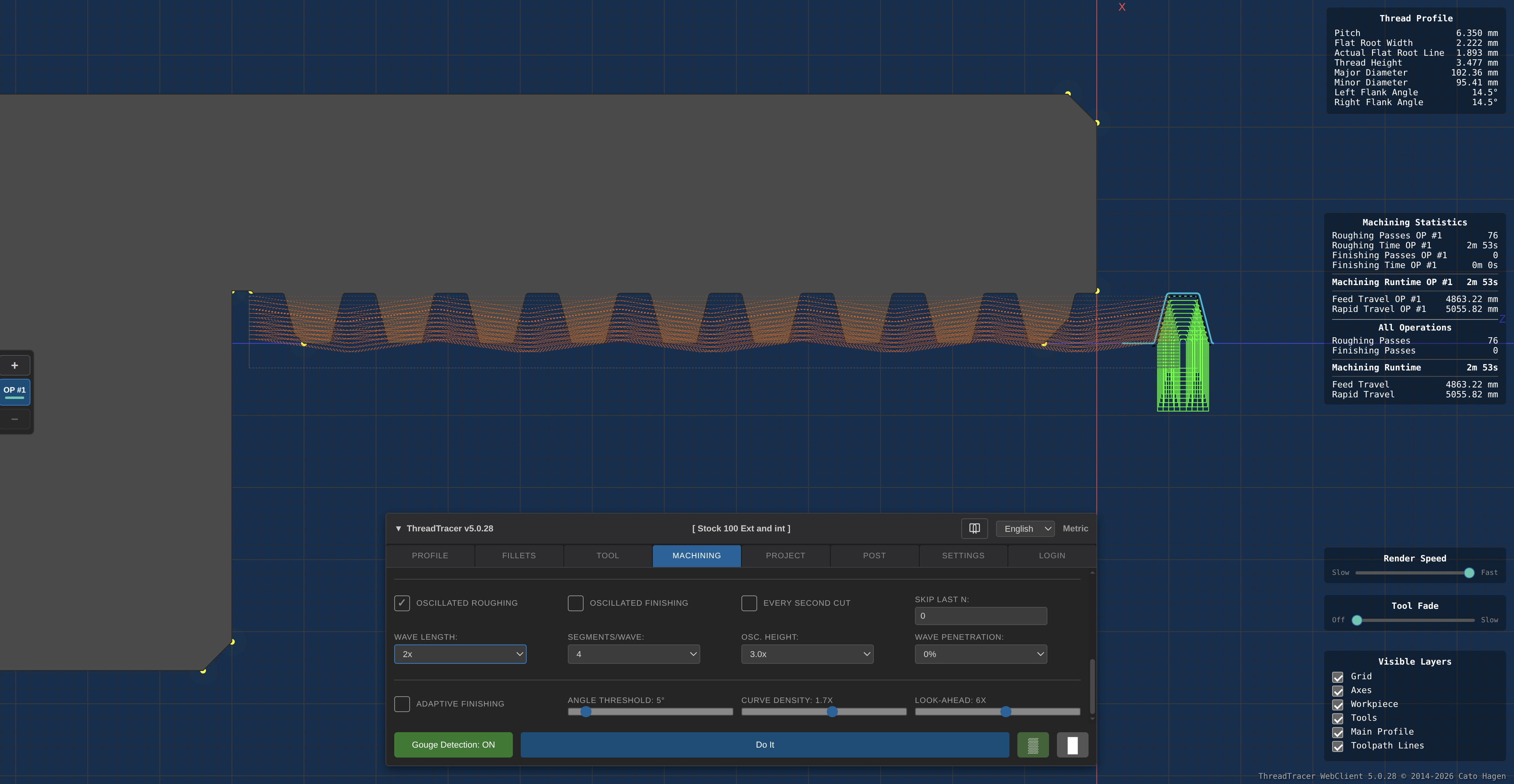
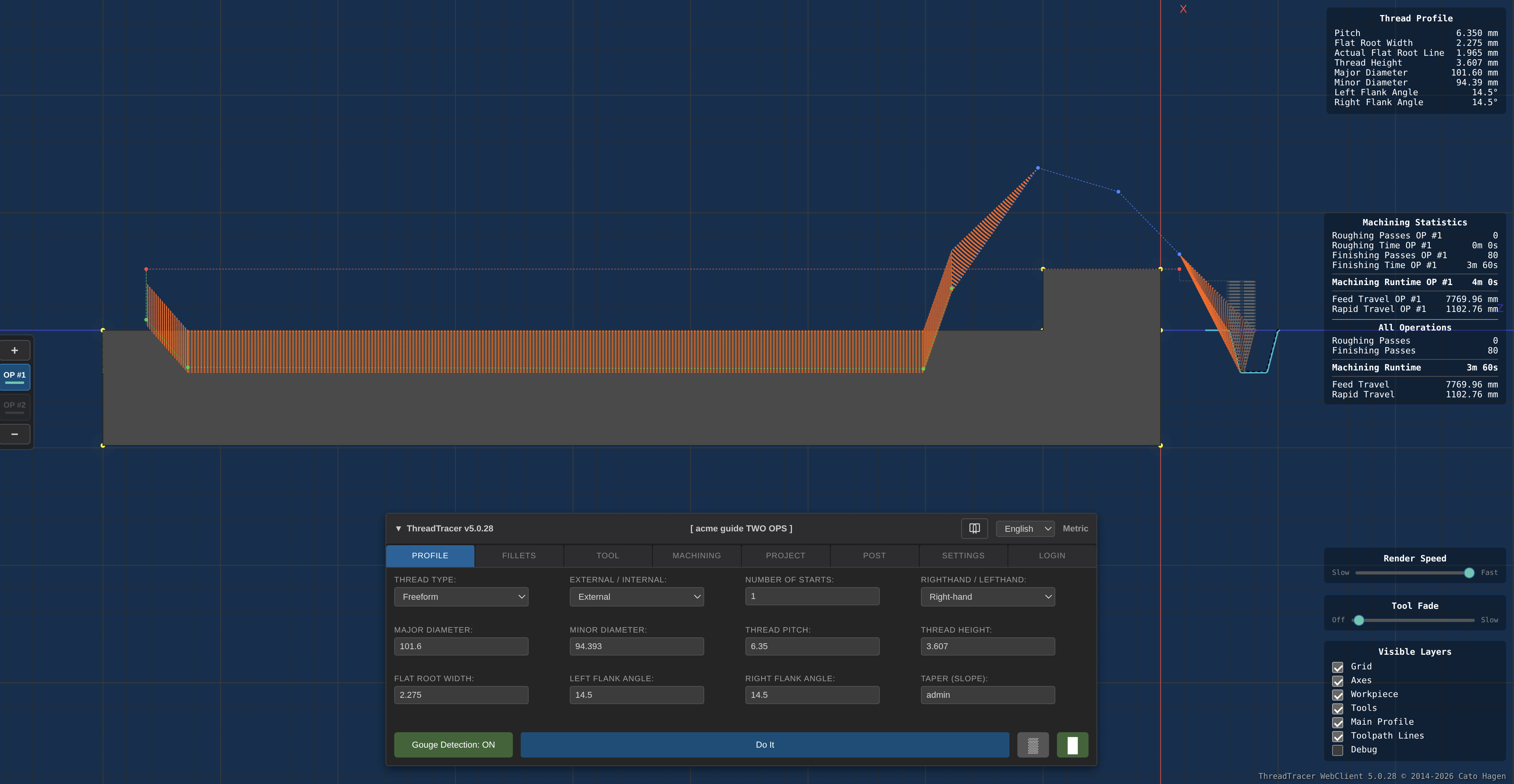
Provides a 2D CAM like environment with zoom and pan and many helpful visuals. A 1:1 scale of the tool and profile can be helpful when setting cut depths and stepovers.
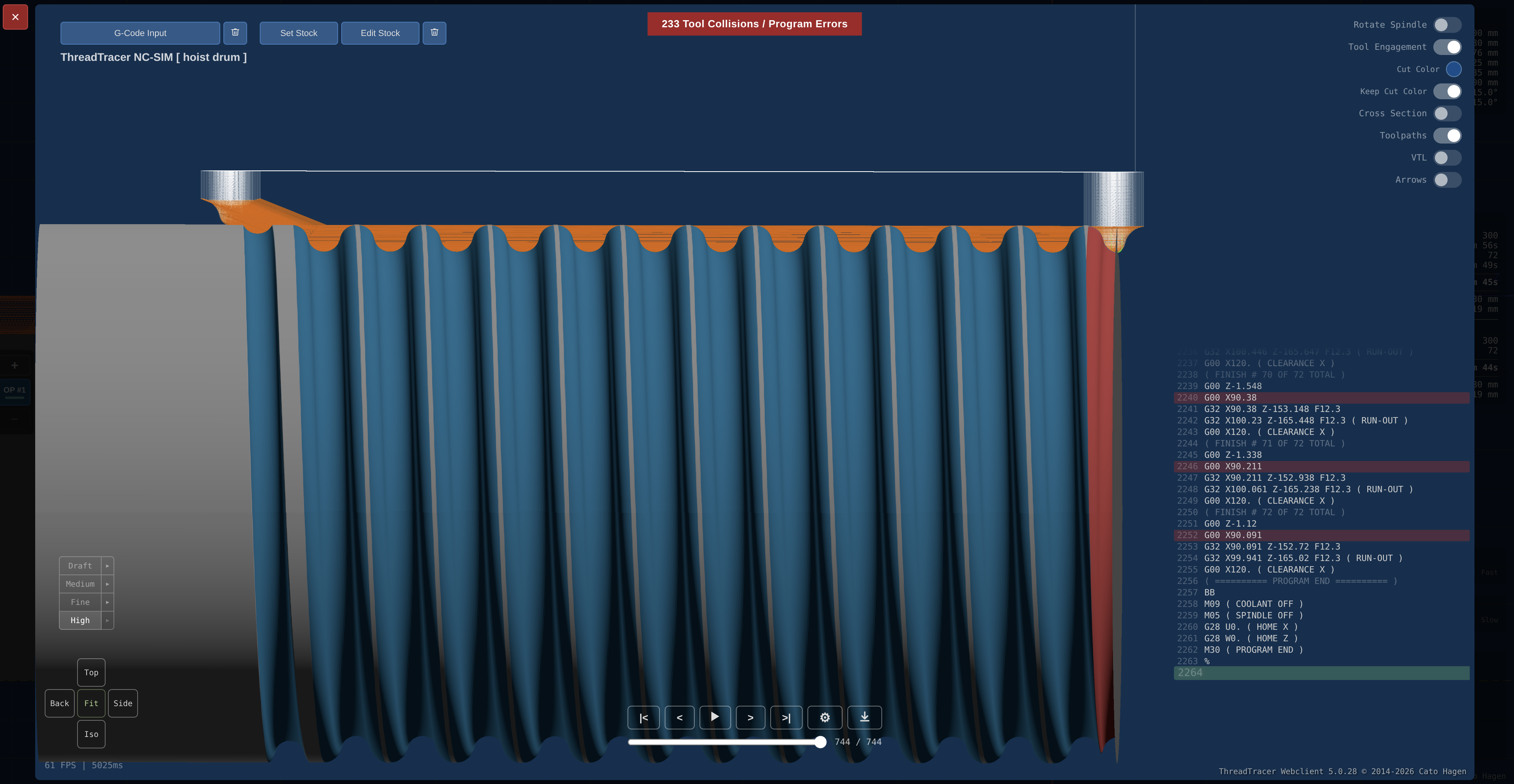
Supports programming upto 8 different thread profiles simultaneously, useful for large cable hoist drums with sets of multiple groove helixes.
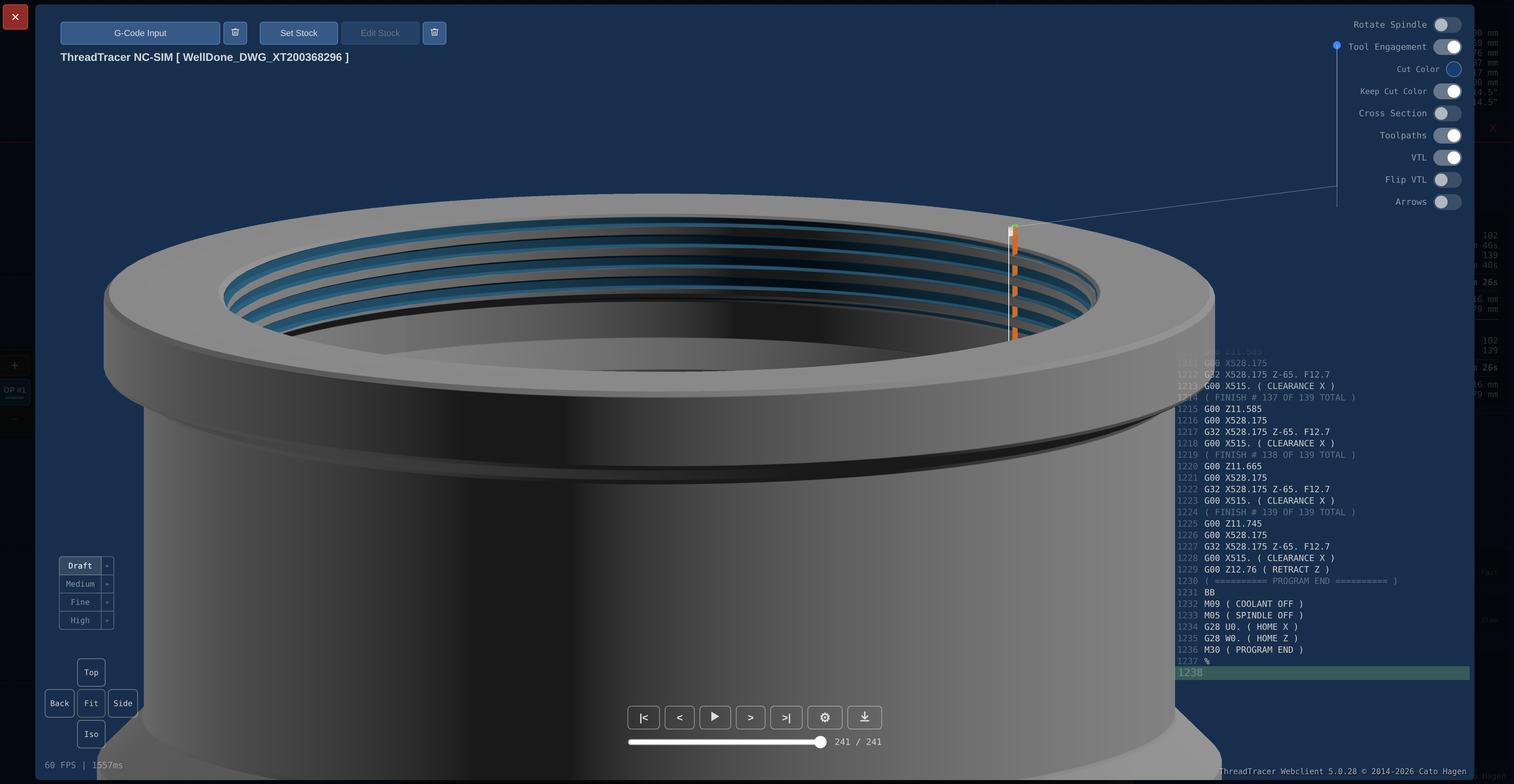
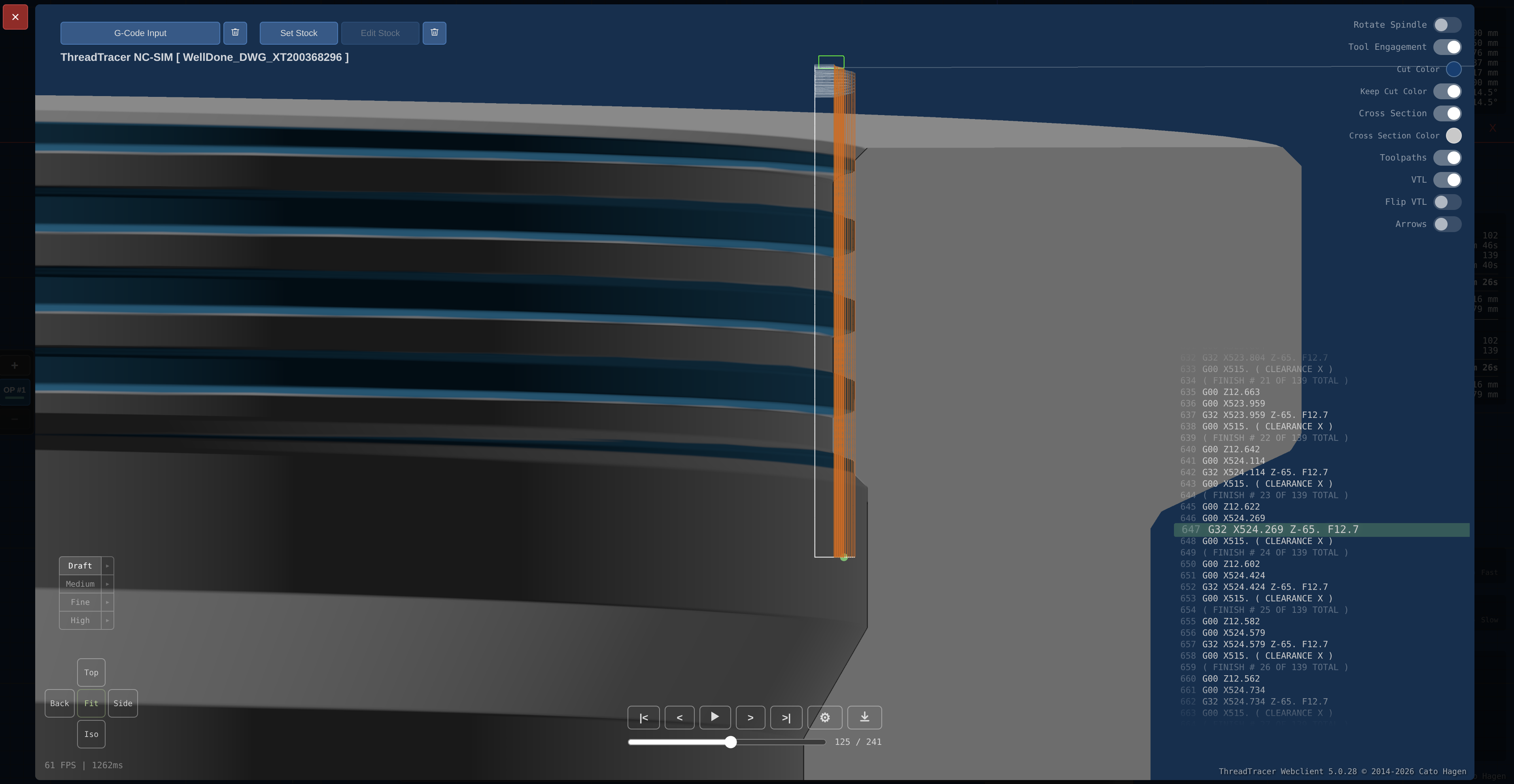
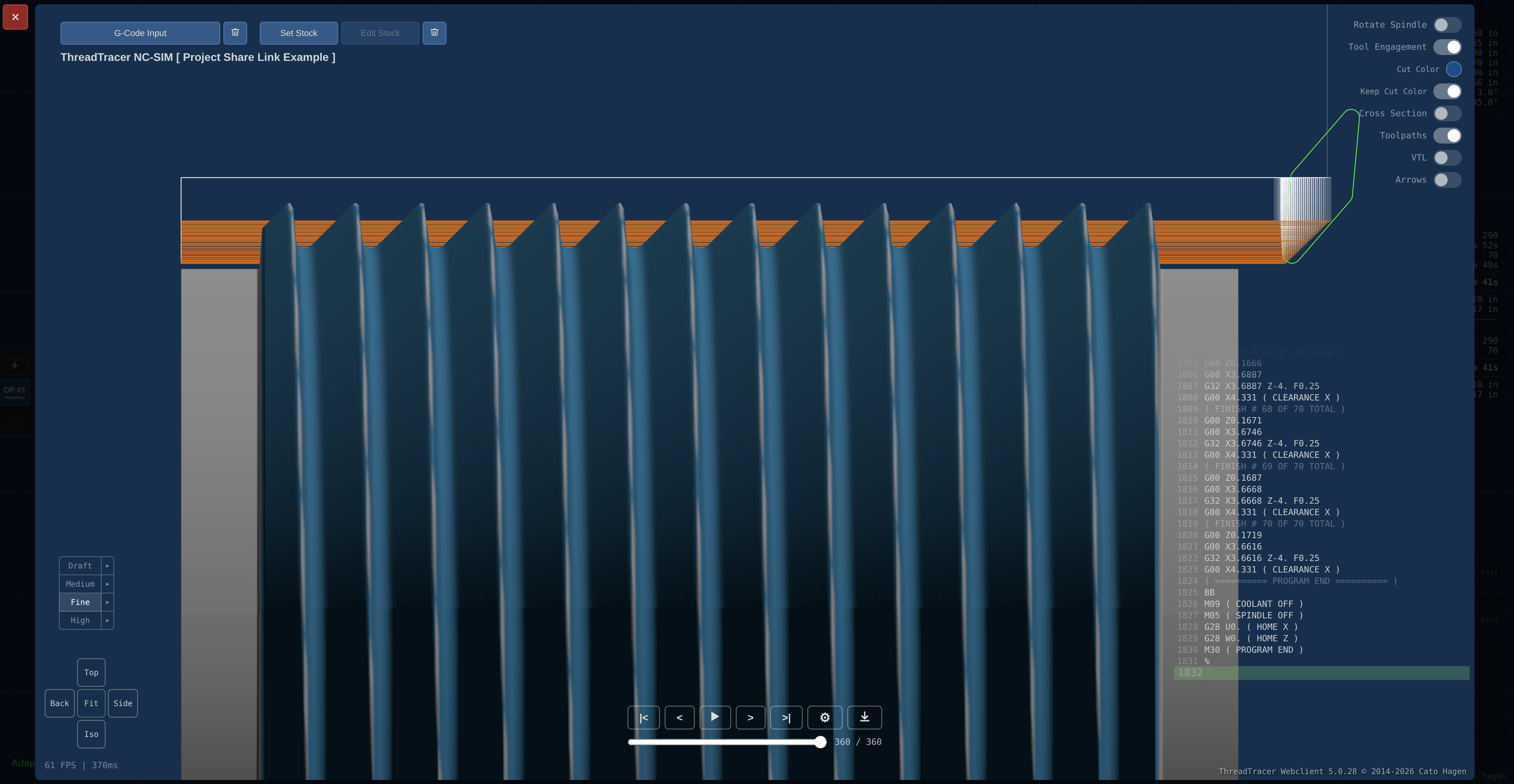
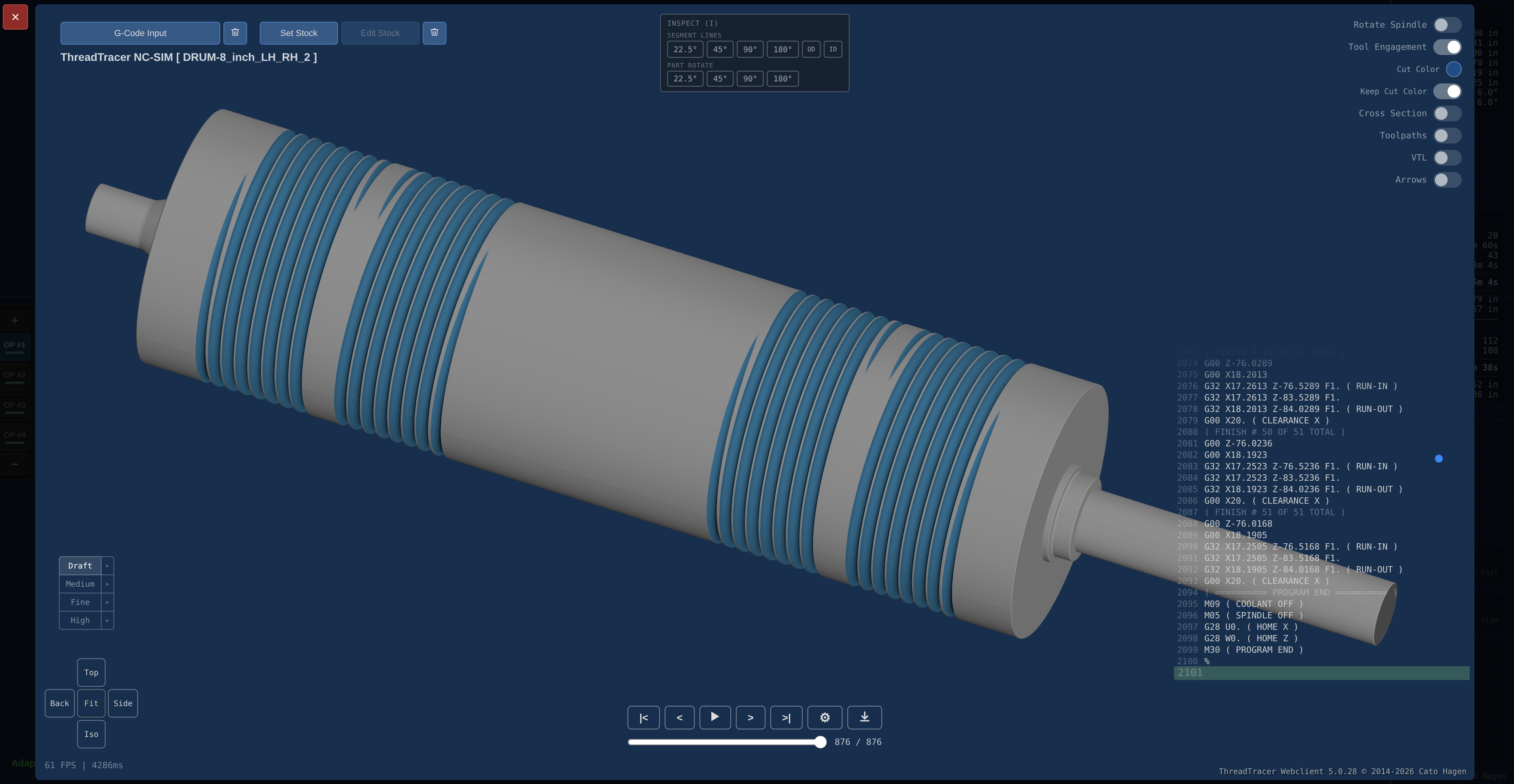
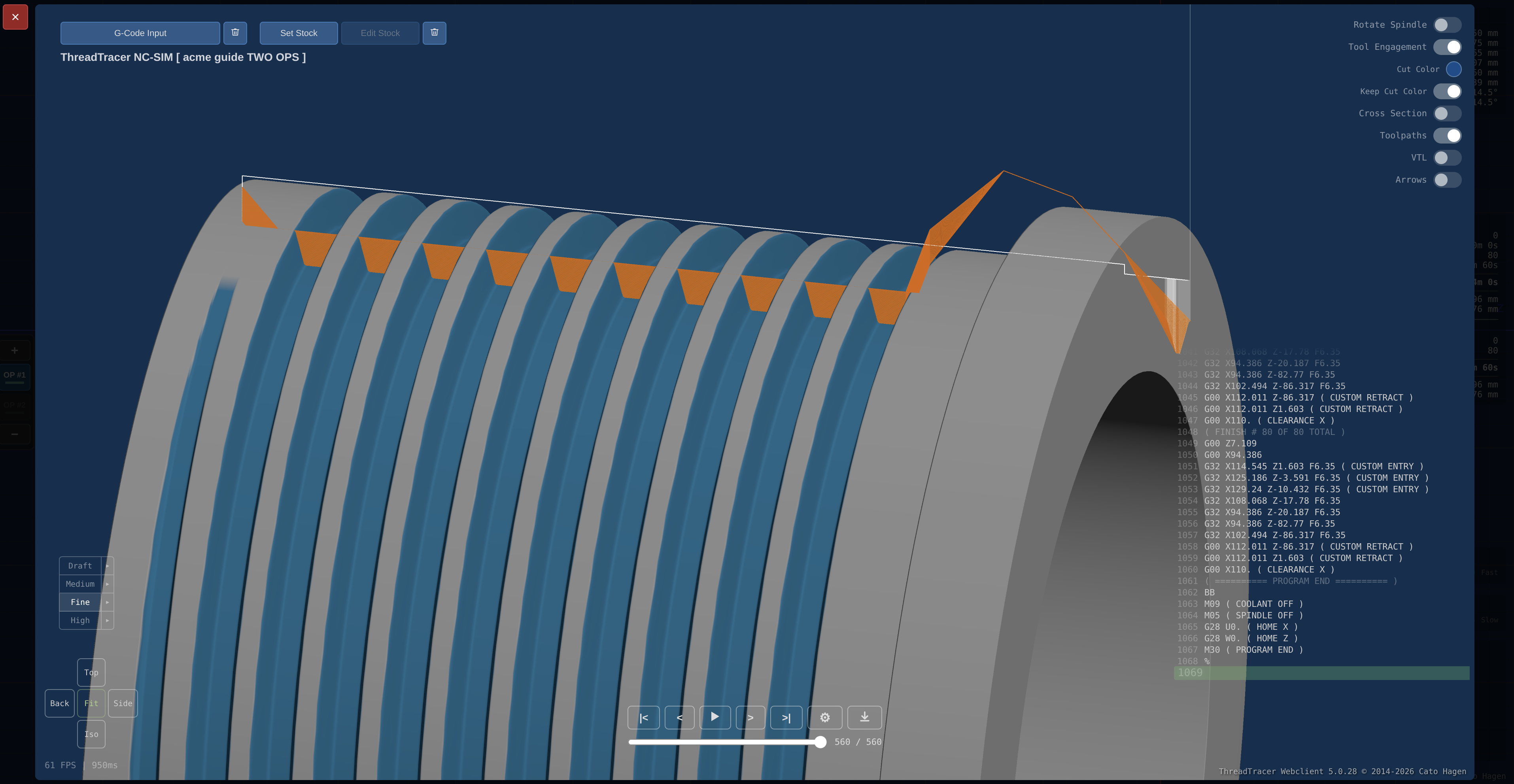
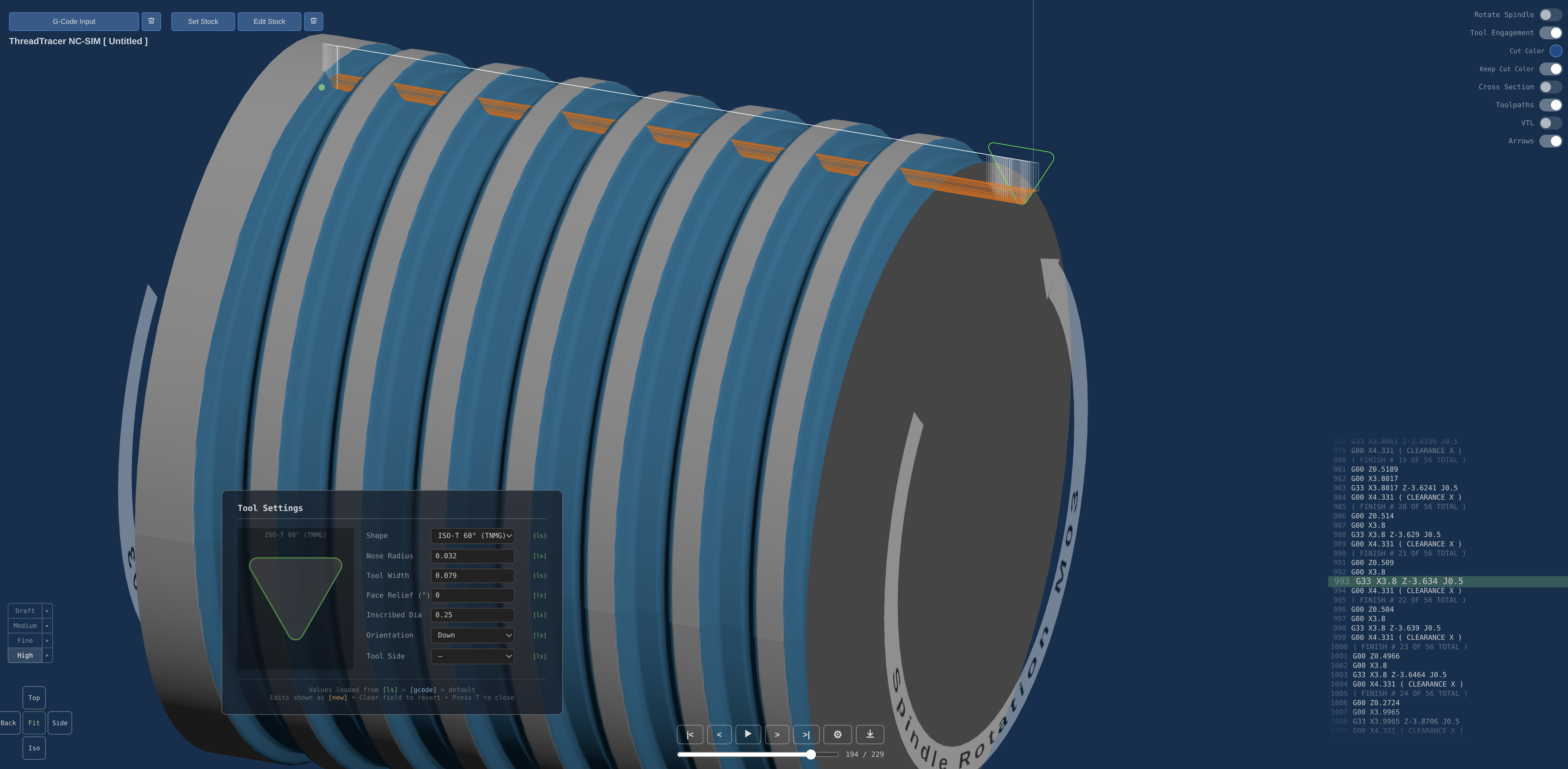
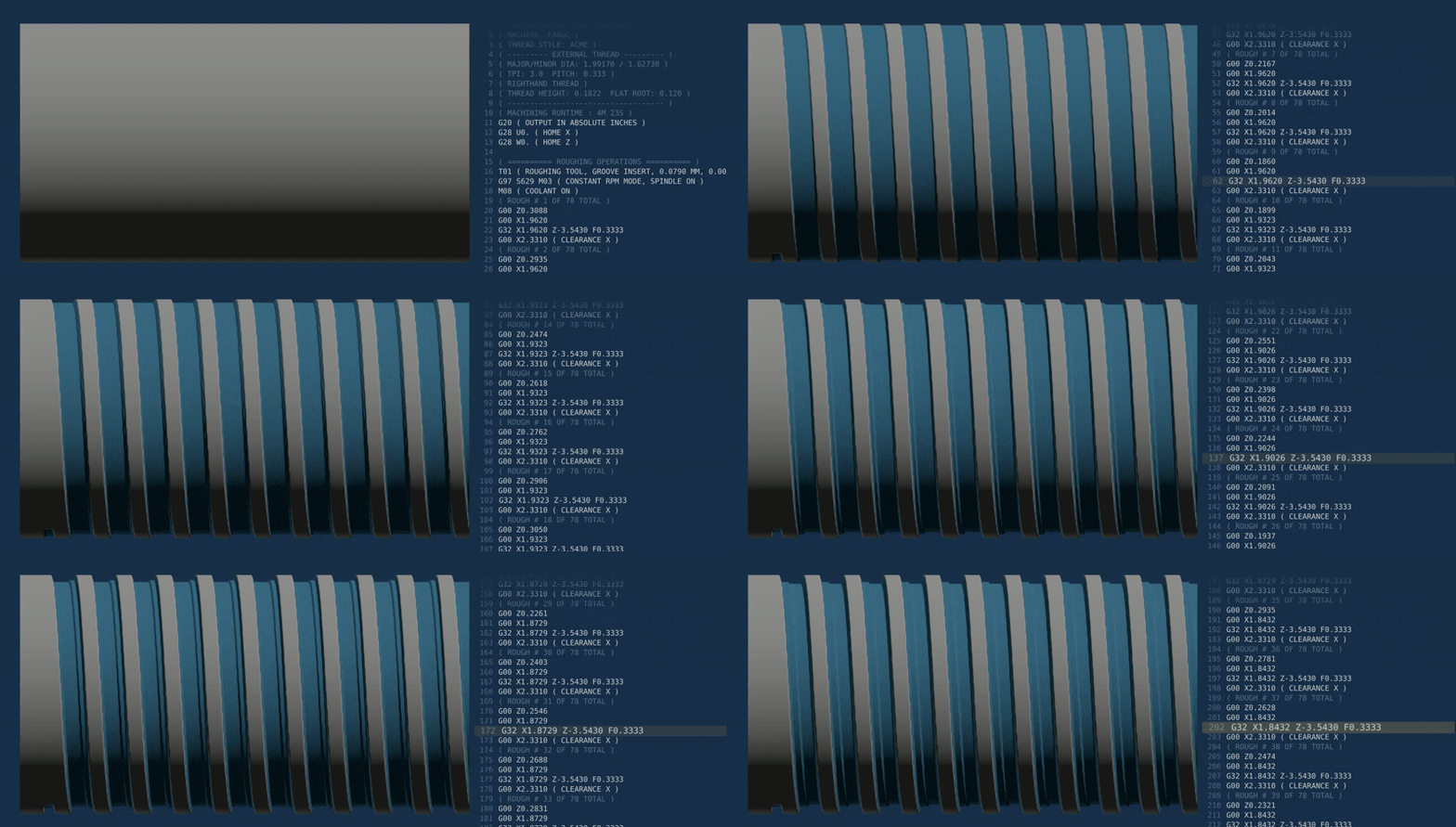
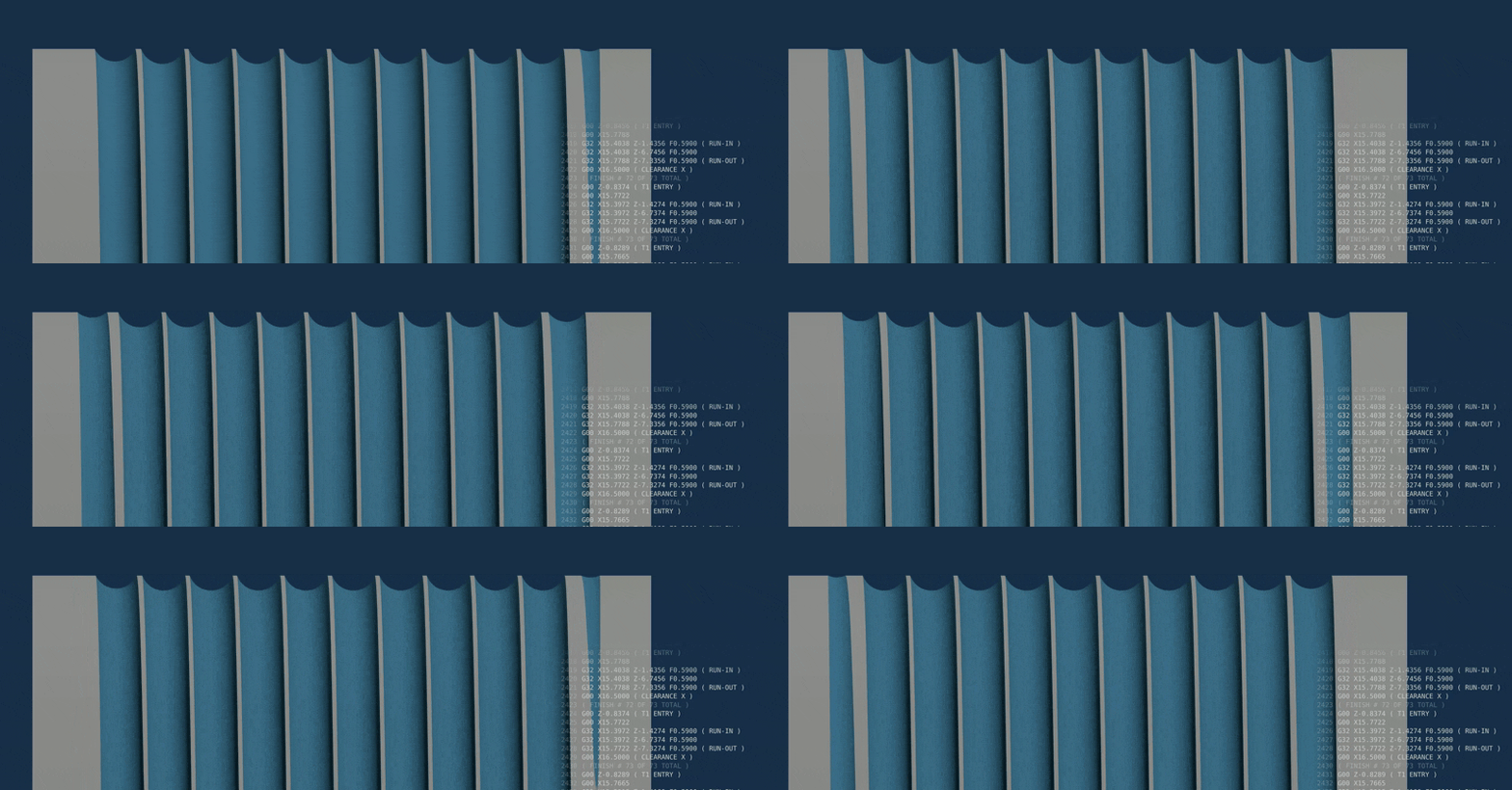
G-code simulation for threading can be started directly from the G-code output window. The simulation runs from the actual generated G-code.
Free to use for Acme and Stub Acme threads, program and post g-code for any nominal Acme and Stub Acme thread.
ThreadTracer runs in any modern browser. Program and simulate your thread setup in Chrome, Edge, Firefox or any other modern web browser.
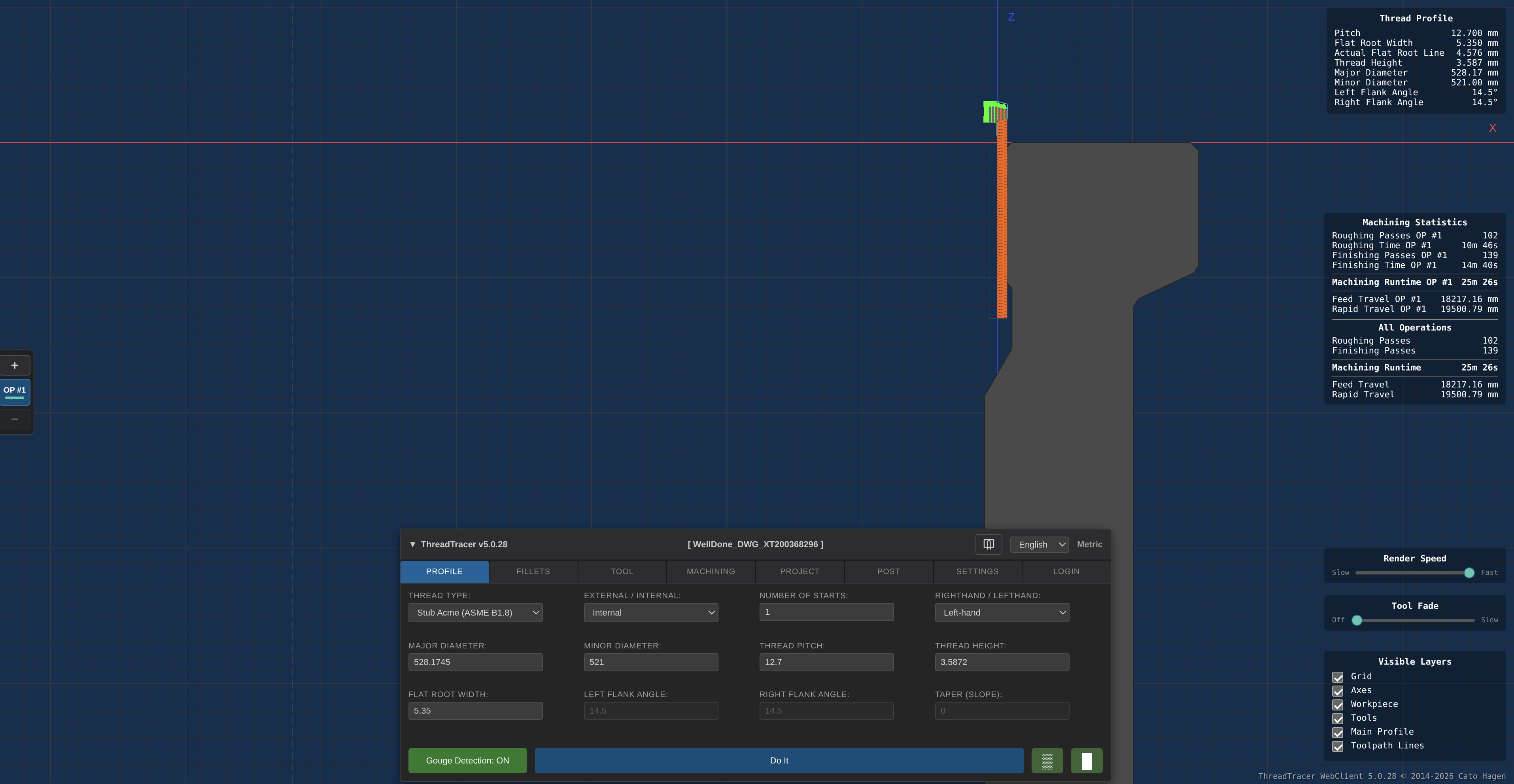
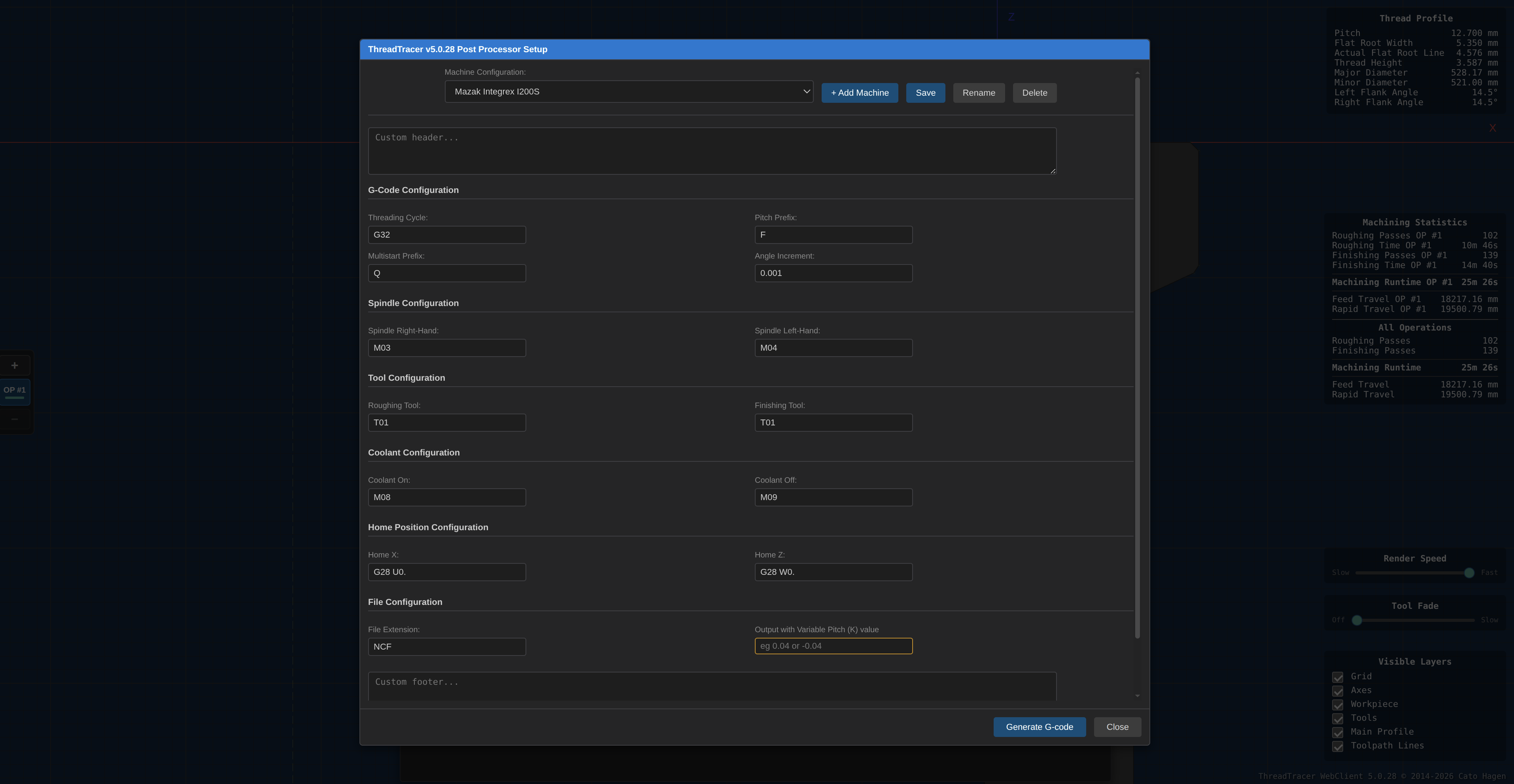
ThreadTracer Webclient Screenshots
Click any screenshot to enlarge
Advantages with ThreadTracer
Excels in machining standard transmission threads that cannot easily be cut by the conventional threading process.
Reduced load while machining - Machine large threads on less rigid machines. For example 4/5-axis Mill-turn machines are typically not as rigid as turret machines.
Minimize vibrations, chatter and bad surface finish in more demanding and difficult machining conditions, such as components with thin walls or threading internally with long tool overhang.
Cost-effective for prototyping or low quantity runs with custom threads compared to ordering tooling with custom form inserts.
Machine all threads with roughing and finishing passes. Using standard turning tools allows for a smaller contact area and gives you control over the cutting forces, surface finish and quality.
WebClient Project Examples
Below are some project examples of different thread setups you can open and see how it works with different profiles and insert types
The interface uses a main - Do It - button to run and calculate current setup, you can toggle on/off Roughing ▒ and Finishing █ with the two buttons on the right
Green is enabled, Grey is disabled.
Webclient opens in a new tab
WebClient Features
Construct any threadprofile using parametric variables.
Set fillet or chamfer size on any of the 4 corner features, supports mixing fillets and chamfers of any size for complex geometries.
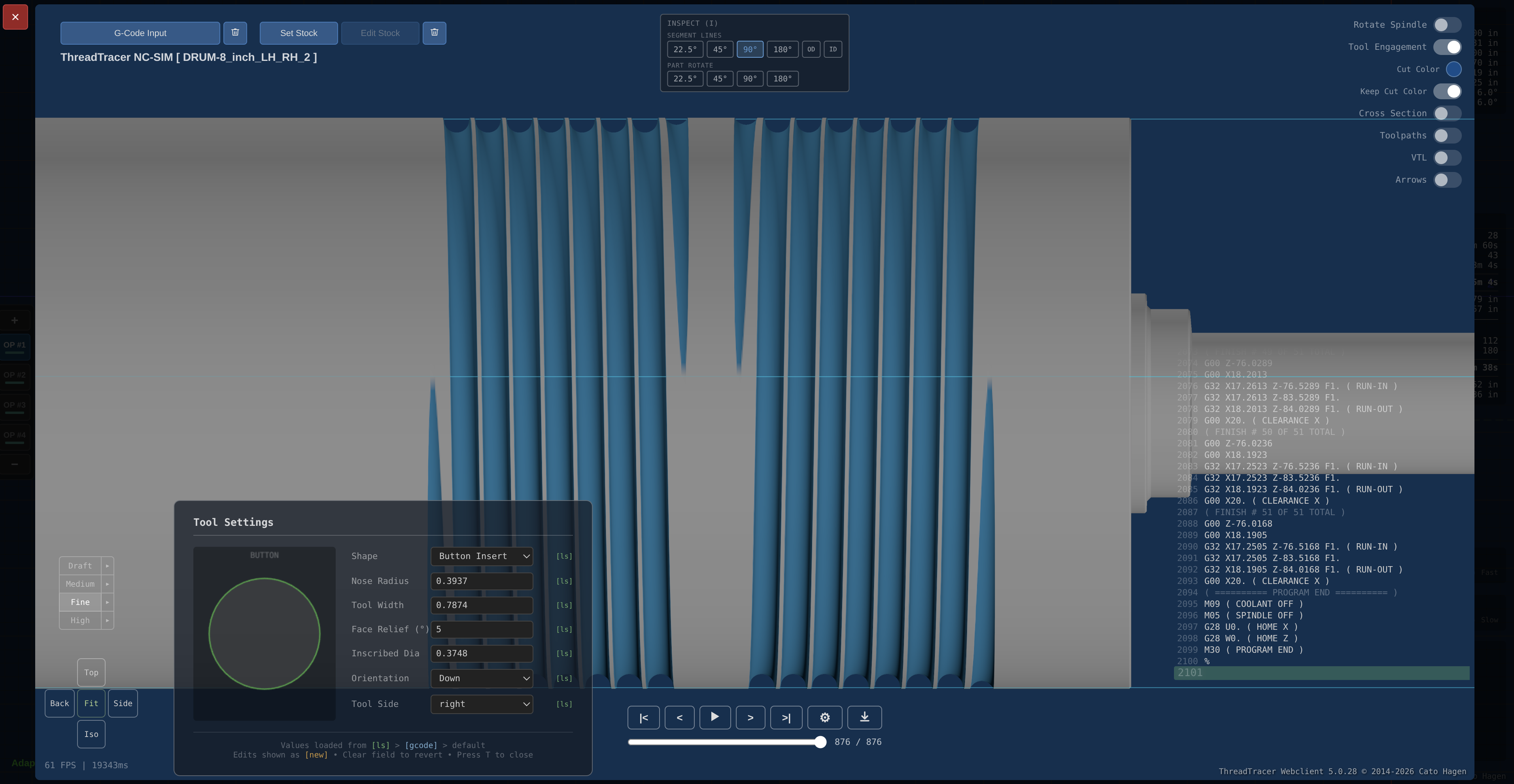
Use any standard turning tool to machine any thread, choose from any size grooving insert, button insert or ISO diamond inserts (V-35, D-55 and C-80 degree)
ISO diamont inserts can be oriented for standard turning holders, pointing left, right or straight down.
Multiple presetter offset points, to choose where tool Z zero is.
Calculates required spindle RPM based on given required surface speed and thread diameter.
Set surface roughness for finish in Ra, calculates required teoretical stepover on finish passes.
Build your own post processors for machines with Fanuc controller, Mazak, Okuma, etc.
A seperate template based post processor supports generating complete threading cycles for Heidenhain, Siemens Sinumeric and similar controllers.
Seperate Inch and Metric mode for programming and posting G-Code.
2D CAM-interface supports setup alignment as a horizontal cnc lathe or vertical cnc lathe (VTL)
Built-in stock modeling by setting up a parametric profile, or import a DXF drawing from your CAM system and use as stock for better visualization while programming the thread.
Support for zoom and pan with SpaceMouse from 3Dconnexion
Built-in Thread Standards
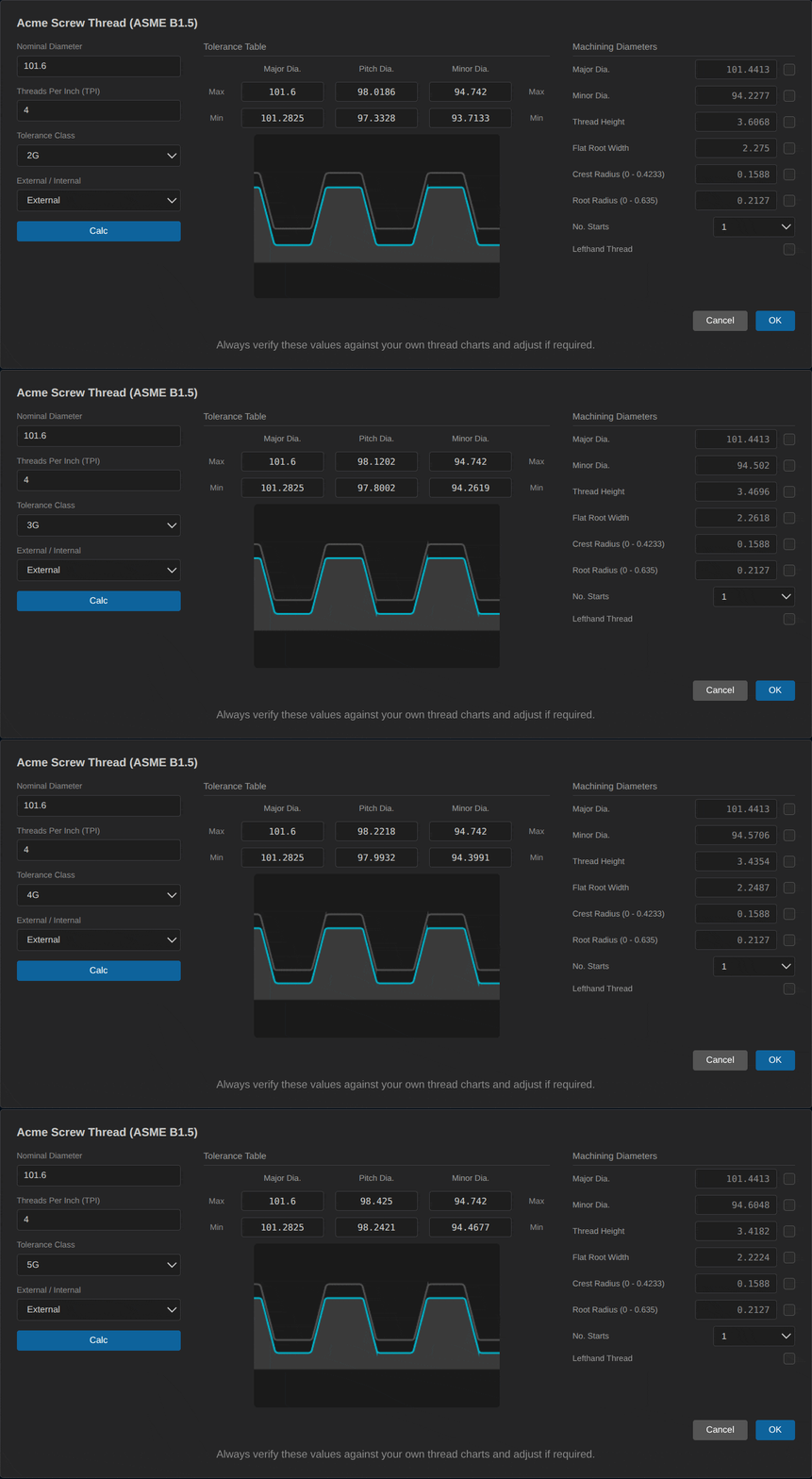
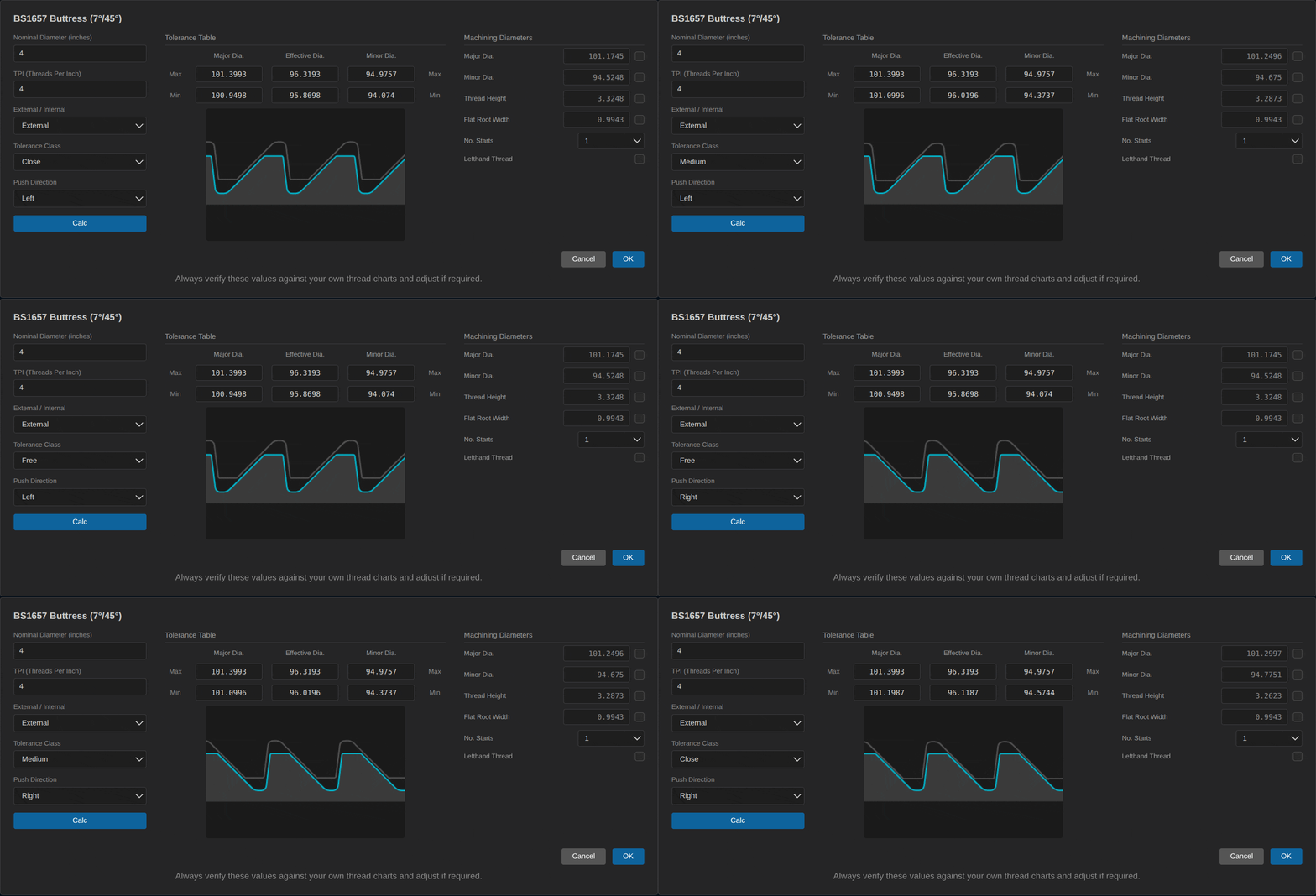
All built-in thread standards will autocalculate the (max/min) of major diameter, minor diameter, flat root width, and fillets according to the thread spesifications. Values used are always center tolerance by default.
The thread calculator needs a nominal diameter, TPI and tolerance class.
Supported standards :
Acme thread (ASME B1.5)
Stub Acme thread (ASME B1.8)
Trapezoidal Metric threads (ISO 2903 and DIN 30295)
Knuckle Threads (DIN20400 and DIN405)
Buttress threads (American Buttress ANSI B1.9-1973, British Standard 1657 and DIN 513)
Freeform mode allows for setting all profile parameters, allows constructing virtually any threadshape and machine with a standard turning tool.
Toolpath Features
Gouge detection - Will alert and prevent any tool with wrong parameters. Alerts if a tool will not fit in the profile (too wide) or if the tool shape intersects with the thread profile.
Adaptive Roughing - Dynamically adapts depth of cut for rounded threads, ideal for large rope threads and cable drums and gives a better surface finish.
Multiple strategies for rough machining. Bidirectional cutting patterns will fully utilize both cutting edges of the insert.
Adaptive Finishing - Dynamically adapts denser stepover for finer surface finish around fillets.
No Drag option for finish passes, option for finish passes over entire crest surface and flip the direction of finish passes.
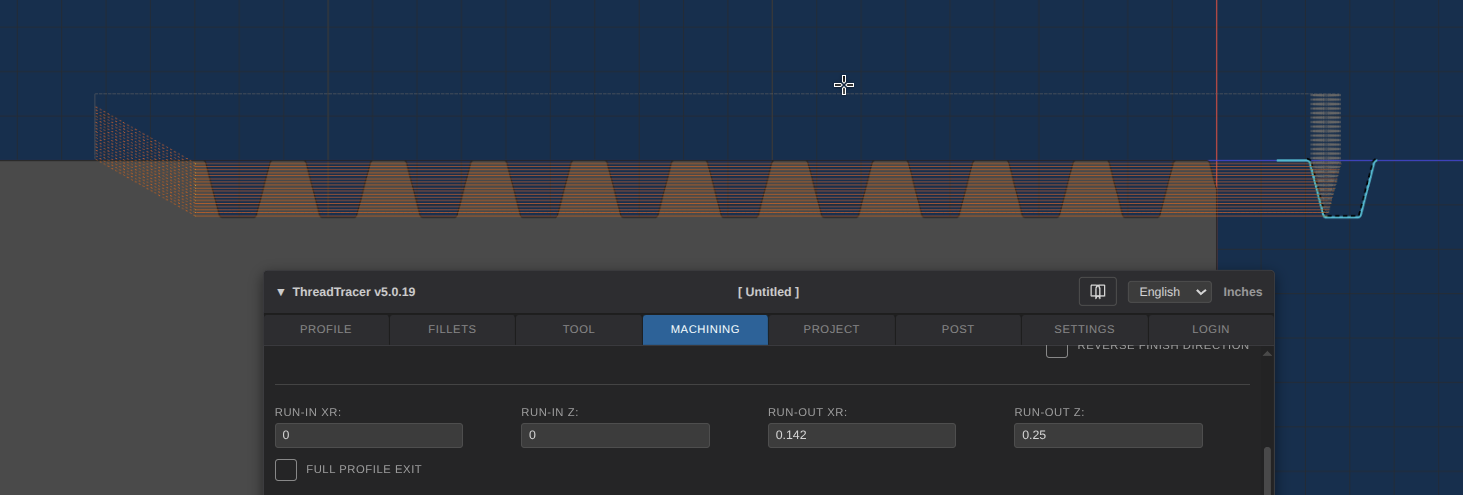
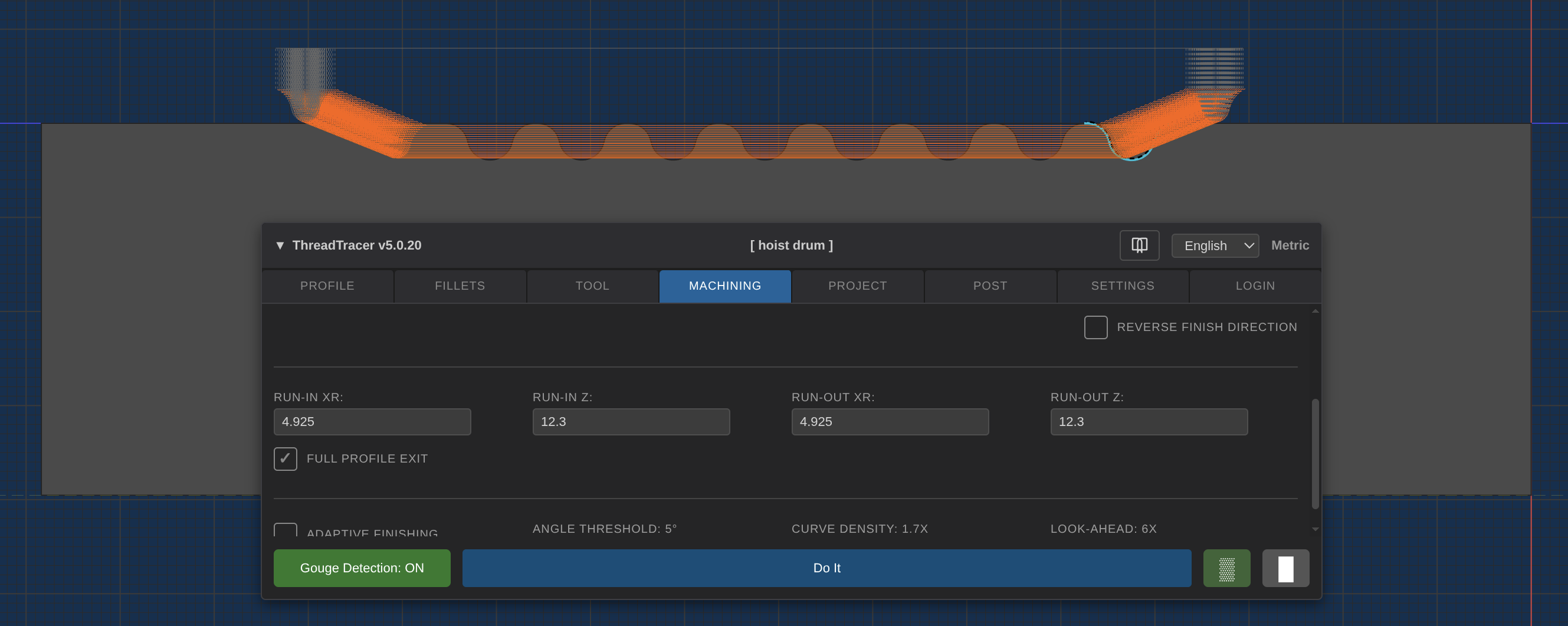
Supports synchronized Run-in and Run-Out, very advantageous for threads with a large pitch or lead. Also enables smooth transitions in and out of the material if thread is positioned in between features.
Supports setting any tapered slope on external and internal threads. (eg. NPT,API type threads)
Toolpath Run-In and Run-Out
Run In values can be used if the tool needs to enter the material a certain distance away from the actual thread start in order to create a smooth syncronized entry.
Run-Out values allow you to designate a distance and angle for the tool to make a syncronized exit out of the thread and function the same as the Run-In values.
Syncronized entry and exit are often required to machine rope threads for hoist cable drums.
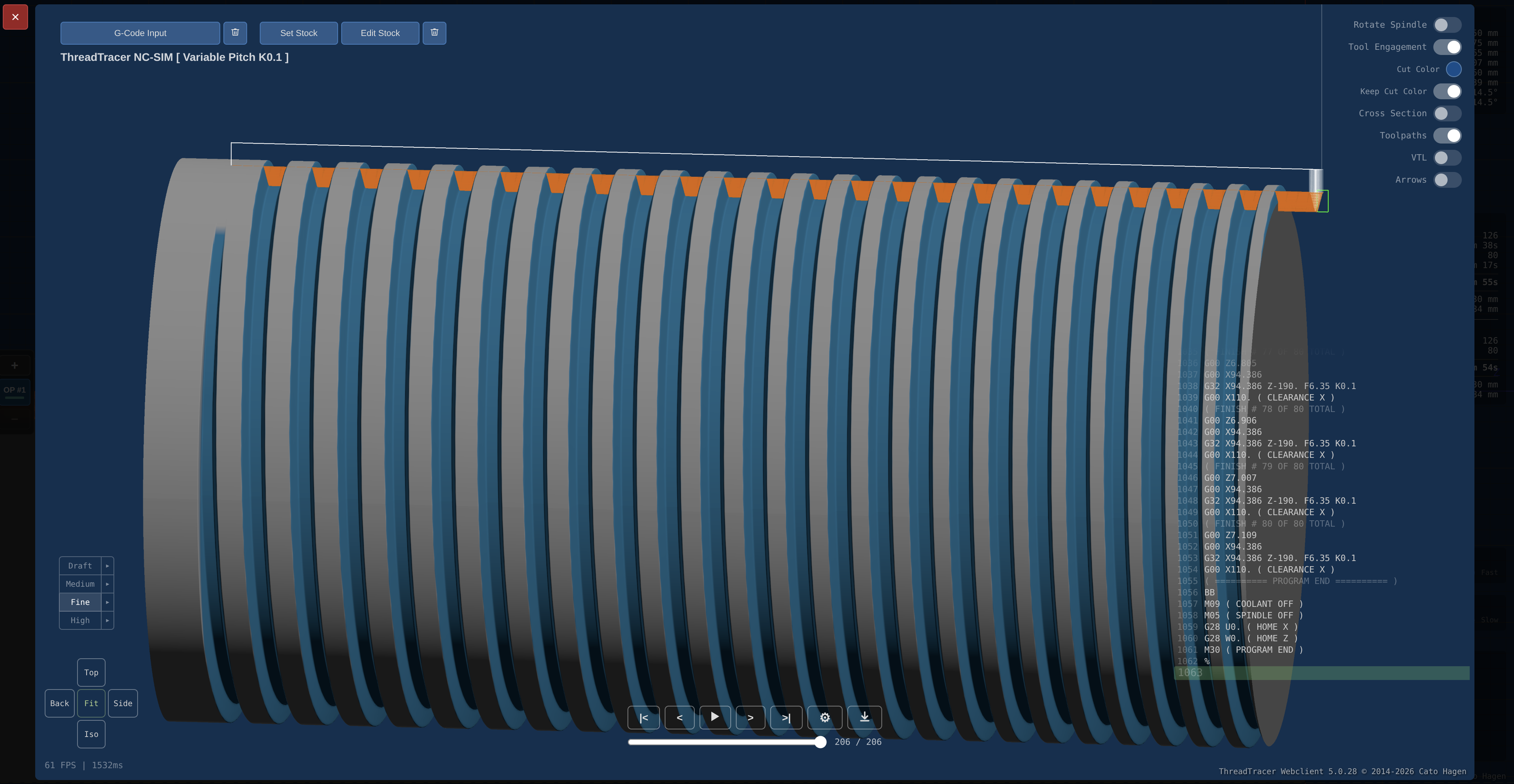
G-code Simulation
Simulation of threads can be done after posting the G-code. The simulation runs seperately and renders the from the posted G-code. (G-code simulation)
Accurate Machining stats
Machining Runtime shows the calculated estimated time for machining, and uses the surface speed and thread diameter to calculate runtime for all Roughing and Finishing passes.
ThreadTracer WebClient Account
A free account is required to access and setup the post processor.
After creating your free account, you can access the post processor setup and create your machine post to produce G-code.
Without logging in to a free account, you can use the webclient as much as you want and program any thread profile, but without access to post any G-code.
All posts processors you create are saved under your account and always available when you log in. Your can create as many different posts for machines you want.
All free accounts can program and post g-code for any Acme and Stub Acme thread. (any Nominal, tolerance class or TPI)
Creating an account is done inside the webclient. After entering a username, password and email you can login immediately.
If you choose to purcase a license for this webclient, payment options are available directly in the Login tab.
If you have any questions or if anything is unclear, dont hesitate to email me :
ThreadTracer WebClient is free to use for programming and post G-code for machining any ACME and STUB ACME threads with standard turning inserts.
Webclient opens in a new tab
For more possibilities with programming different thread profiles, consider purchasing a license for ThreadTracer WebClient.