Post Processor
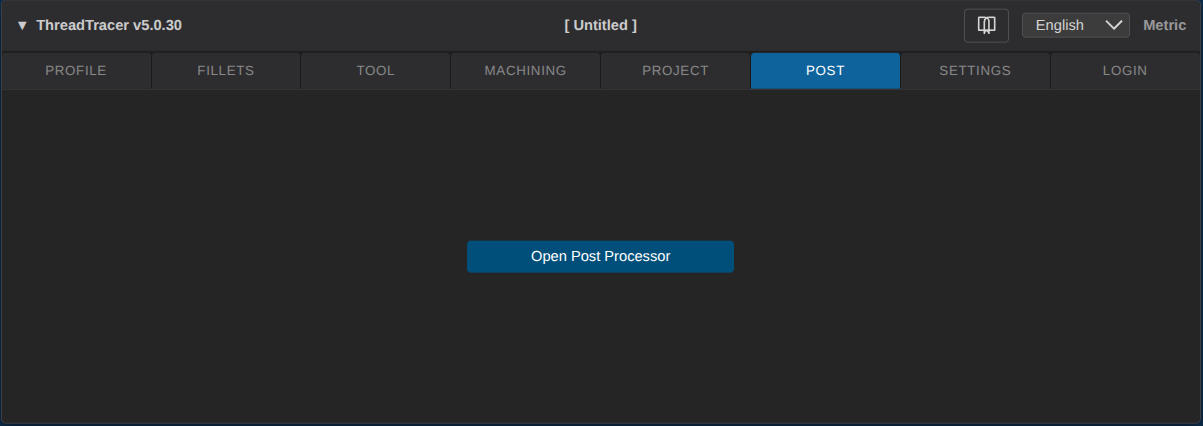
The configurable post processor holds all your machines setups for generating the g-code for machining.
As there are no generic machine setup, you have to setup and configure each of your post processors, spesifically for your machine.
Click the button to open up the post processor setup.
Add Machine
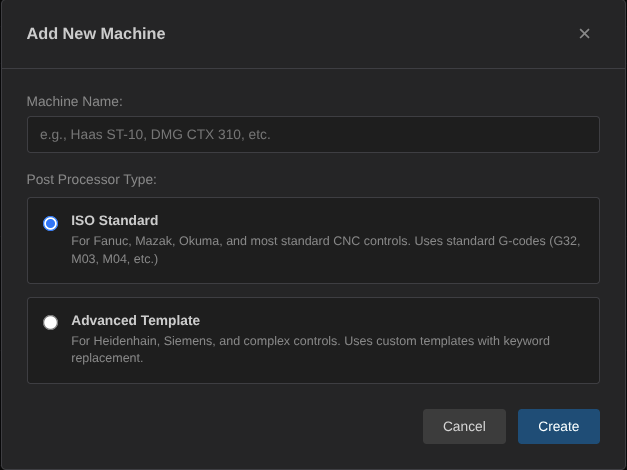
When setting up a new machine you can choose between two different post setup methods.
ISO Standard
Iso Standard is the most simple and easiest to setup.
This post setup allows you to configure the G and M codes for your spesific machine and used in the generated g-code.
The default values should work for most Fanuc controls and similar compatible machines like Mazak, Okuma, Doosan, Haas, etc.
Build up settings for any machine by filling in the G and M codes required with the control.
Consult your machine manual or machine tool distributor for M or G codes.
ISO Processor Setup
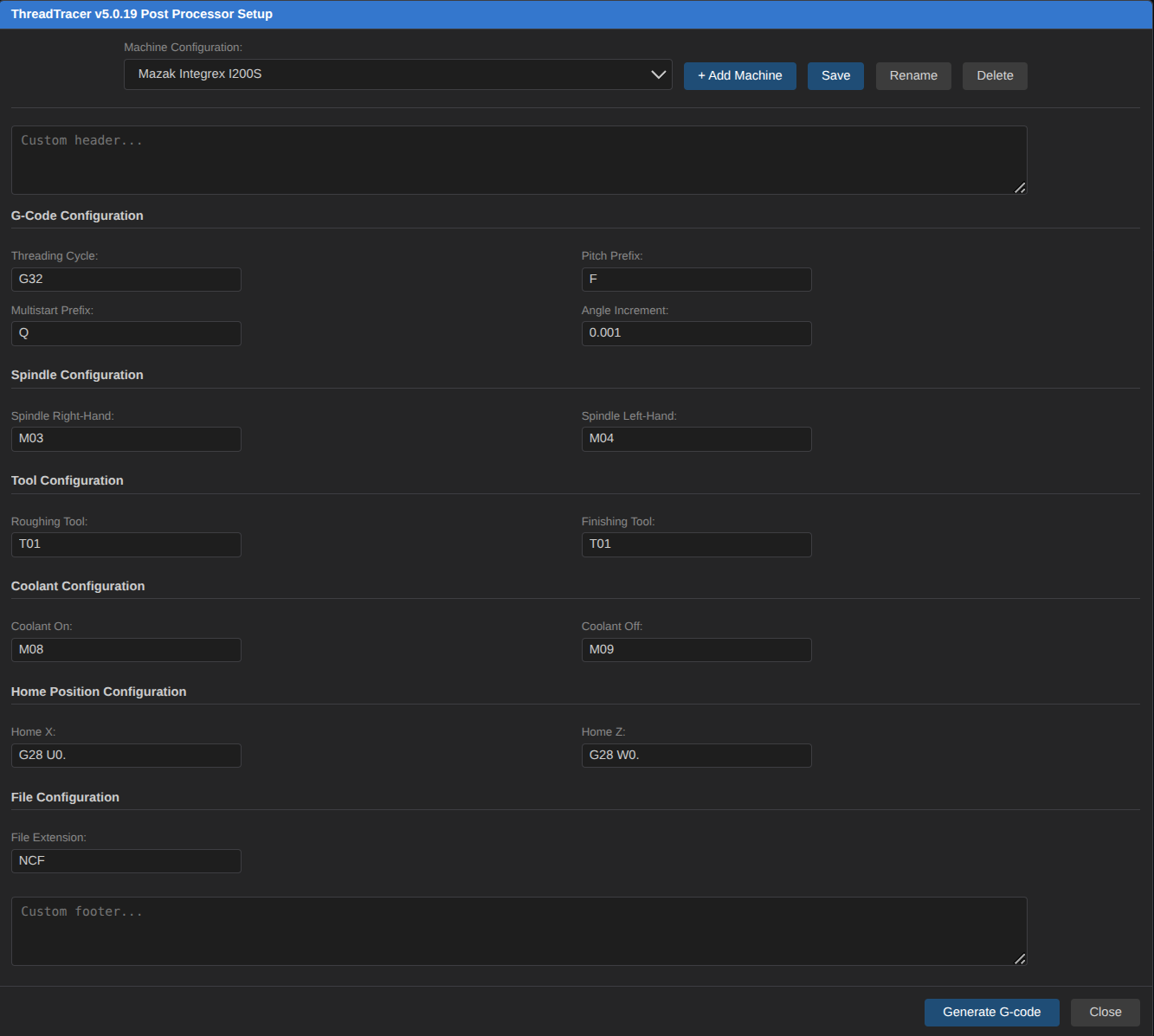
Custom Header
Use this text area to output custom g-code before any threading starts.
Insert any required G or M codes here, like code for lower turret, or code for running on sub-spindle.
Machines with custom threading options, like variable spindle speed to help with chatter, insert this here.
Threading Cycle
The G Code for Single Point Theading.
On Fanuc compatible controls this is usually G32. Most if not all Okuma controls use G33 and G34.
Pitch Prefix
The letter used for Pitch in the Single Point Theading cycle.
Usually this letter is F.
Multistart Prefix
The letter used for startangle on multistart threads, Fanuc compatible controls uses the letter Q.
Angle Increment
The amount of 'units' the C-axis have as resolution. Fanuc compatible controls uses 0.001, so one revolution is 360000
With Angle Increment of 0.001, a 2 start thread would use Q0 for the first start and Q180000 for the second start (180° offset)
Consult your machine manual or machine tool distributor for for the correct format.
Coolant On
The M-Code for turning ON coolant for the threading tool.
Coolant Off
The M-Code for turning OFF coolant for the threading tool.
Spindle Right-hand
The M-Code for Clockwise spindle direction.
Used for Right Hand threads and threading toward the -Z axis.
Spindle Left-hand
The M-Code for Counter Clockwise spindle direction.
Used for Left Hand threads and threading toward the -Z axis.
Home X
The G-Code command for homing the X axis. On Fanuc compatible controls this is usually 'G28U0.'
Home Z
The G-Code command for homing the Z axis. On Fanuc compatible controls this is usually 'G28W0.'
Custom Footer
Use this text area to output custom g-code after the threading is done.
Multistart Threads
ThreadTracer will output NC-code for multistart thread using spindle decoder parameter with G32/G33.
If you need to start with the tool in a thread relief, spindle decoder parameters allows the tool to start at the same Z value, and uses the decoder in the spindle to control each start.
You can for example do a lefthand multistart thread, with only a righthand tool available at hand.
Solution would be to start at the end of the thread and run the tool in the Z+ direction and use decoder parameters for each start.
Metric example of a 4 start thread with 6.35mm pitch, and 25.40mm lead
( ROUGH # 1 OF 17 TOTAL )
G00 Z7.713
G00 X100.627
G32 X100.627 Z-90.000 F25.400 Q0
G00 X110.000 ( CLEARANCE X )
G00 Z7.713
G00 X100.627
G32 X100.627 Z-90.000 F25.400 Q90000
G00 X110.000 ( CLEARANCE X )
G00 Z7.713
G00 X100.627
G32 X100.627 Z-90.000 F25.400 Q180000
G00 X110.000 ( CLEARANCE X )
G00 Z7.713
G00 X100.627
G32 X100.627 Z-90.000 F25.400 Q270000
G00 X110.000 ( CLEARANCE X )
( ROUGH # 2 OF 17 TOTAL )
...
Inch example of a 4 start thread with 4-TPI (0.25" pitch), and 1" lead
( ROUGH # 1 OF 17 TOTAL )
G00 Z0.3110
G00 X3.9847
G32 X3.9847 Z-3.5430 F1.0000 Q0
G00 X4.3310 ( CLEARANCE X )
G00 Z0.3110
G00 X3.9847
G32 X3.9847 Z-3.5430 F1.0000 Q90000
G00 X4.3310 ( CLEARANCE X )
G00 Z0.3110
G00 X3.9847
G32 X3.9847 Z-3.5430 F1.0000 Q180000
G00 X4.3310 ( CLEARANCE X )
G00 Z0.3110
G00 X3.9847
G32 X3.9847 Z-3.5430 F1.0000 Q270000
G00 X4.3310 ( CLEARANCE X )
( ROUGH # 2 OF 17 TOTAL )
...
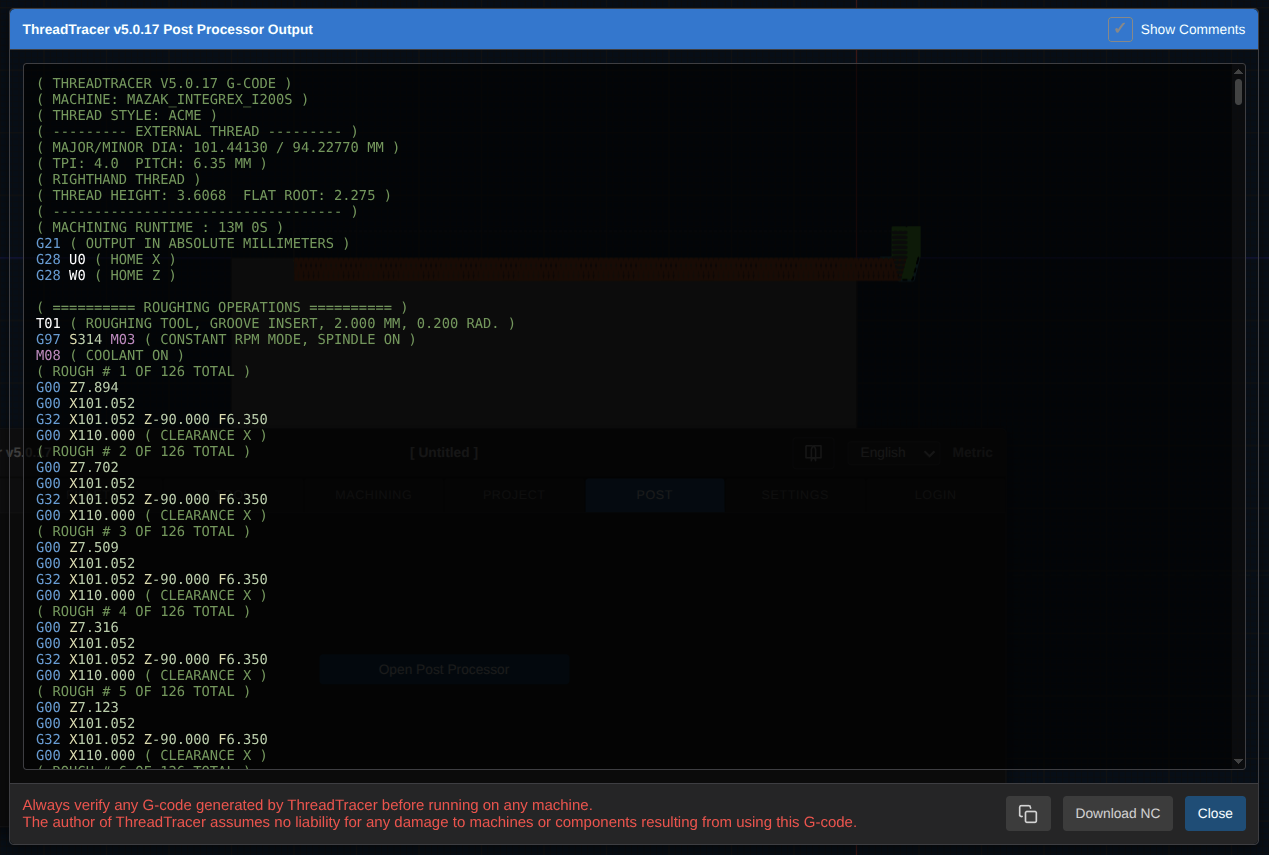
G-code output from an ISO post processor
Advanced Template
The template post processor gives more flexibility and allows to you to tailor post processors for both basic and complex code generation requirements and supports a variety of CNC machines and controls.
With this flexibility you can customize your post-processor to generate NC programs / g-code that are ready to run without the need for manual editing.
Template based post processors are built with inserting required lines and using keywords that will be replaced with the values from the programmed thread.
//Example of template for a fanuc compatible control.

G0 Z<START_Z>
G0 X<START_X>
G32 X<END_X> Z<END_Z> F<PITCH>
G0 X<CLEARANCE_X_POSITION>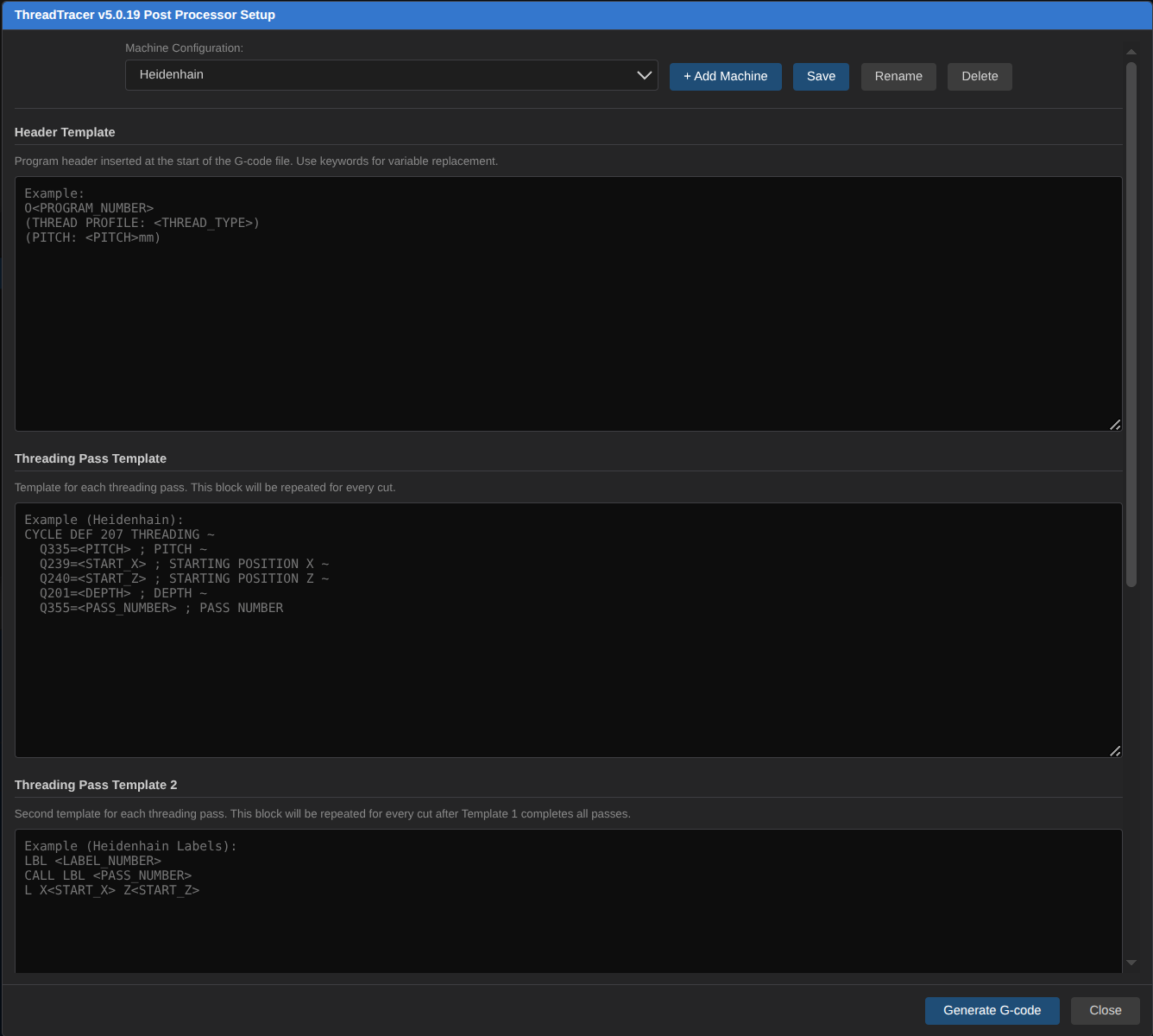
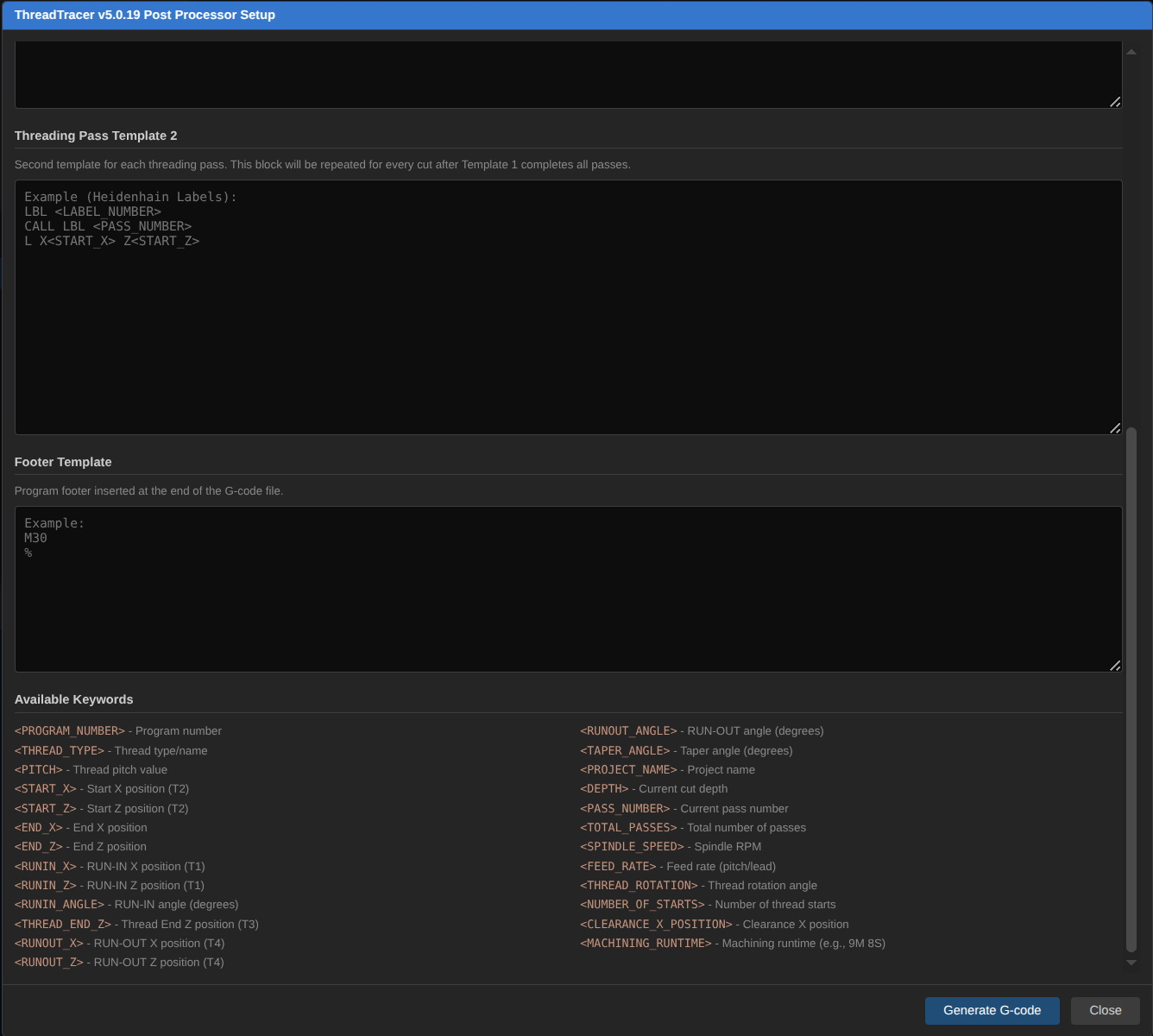
Template Keywords
<PROGRAM_NUMBER> - Program number
<THREAD_TYPE> - Thread type/name
<PITCH> - Thread pitch
<START_X> - Start X position (T2)
<START_Z> - Start Z position (T2)
<END_X> - End X position
<END_Z> - End Z position
<RUNIN_X> - RUN-IN X position (T1)
<RUNIN_Z> - RUN-IN Z position (T1)
<RUNIN_ANGLE> - RUN-IN angle (degrees)
<THREAD_END_Z> - Thread End Z position (T3)
<RUNOUT_X> - RUN-OUT X position (T4)
<RUNOUT_Z> - RUN-OUT Z position (T4)
<RUNOUT_ANGLE> - RUN-OUT angle (degrees)
<TAPER_ANGLE> - Taper angle (degrees)
<PROJECT_NAME> - Project name
<DEPTH> - Current cut depth
<PASS_NUMBER> - Current pass number
<TOTAL_PASSES> - Total number of passes
<SPINDLE_SPEED> - Spindle RPM
<FEED_RATE> - Feed rate (pitch/lead)
<THREAD_ROTATION> - Thread rotation angle
<NUMBER_OF_STARTS> - Number of thread starts
<CLEARANCE_X_POSITION> - Clearance X position
<MACHINING_RUNTIME> - Machining runtime (e.g., 9M 8S)