Project Tab
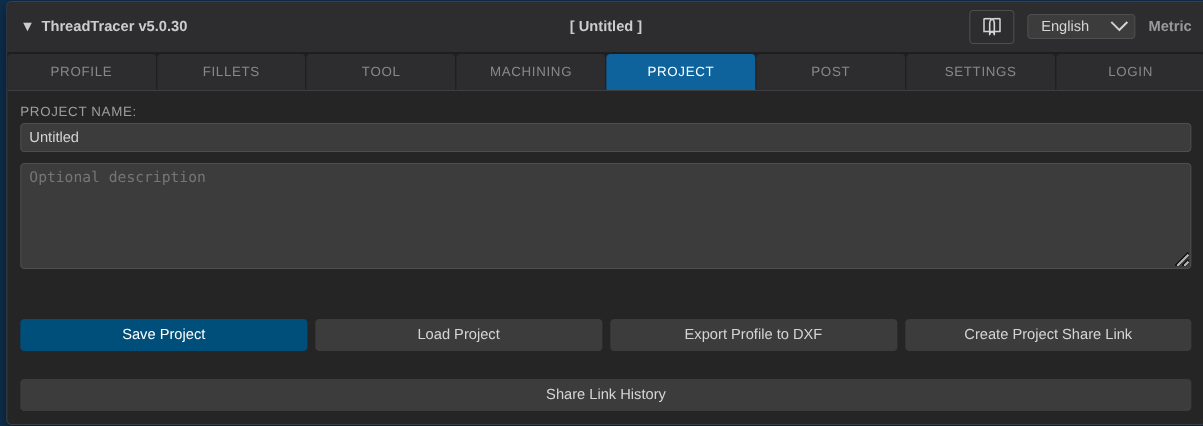
Project Name
Set a name for the current program, like part name or drawing number.
The name you set here will be included in the filename when you save the project.
Project Description
An optional text field where you can write any details you want to remember about the project setup.
Like what tool or holder was used or details about the thread.
Save Project
Opens up a file requester for saving current project to local disk.
The saved file is a .json file in plain text.
Load Project
Opens up a file requester for loading back a project from local disk.
Export Profile to DFX Project
Will convert the current thread profile as DFX and allows to save to local disk.
You can import this DFX onto your CAM system to inspect and verify the profile in a more familiar environment.
Create Project Share Link
Clicking this button will store the current state of all settings and create a "shortcut" url.
This url can be sent to anyone and when opening this url the webclient open with the identical state as when the link was created.
It will restore all settings, and also the pan and zoom state.
This can be useful as a quick way of sharing setups with co-workers or opening on your phone or tablet.
Project Share Example
This is an example url of a Project Share.
If you load this URL in a new tab it opens up a Buttress thread project in inch units.